

When the pandemic hit, a huge number of people suddenly found themselves stuck at home, having to figure out fast what we freelancers and digital nomads have been perfecting for years – how to make a home office actually work and stay productive when working from home.
A lot of people quickly realised that working from home can be far more demanding than working in an office. More than once you glance up and it’s already noon, you haven’t really started yet, and now you also have to sort out what you’re going to eat.
If you’ve got kids at home on top of a partner, working from home can feel downright impossible. Instead of putting in eight focused hours, you end up sitting at the computer from morning till night and still get nothing done.
So I’ve put together a few tried-and-tested tips to make working from home more pleasant and help you get things done more efficiently.
Does a routine belong in a home office?
I’m not sure why most people assume that working from home means you work whenever you feel like it. Those who want to be successful freelancers and digital nomads have to be strict with themselves.
They have to manage their time far better and never break their own routines. Because if you work “whenever you want”, you’ll probably find you’re busy all day yet haven’t actually finished a single task!
1) Set up a work-from-home routine
It pays to set clear boundaries around your working hours. Everyone does it differently. I once listened to a podcast with a woman who gets up in the morning, dresses as if she’s going to the office, walks over to her desk, and when she’s done, changes back into her home clothes. It helps her mark out the time when she’s working.
Lukáš and I, on the other hand, have a clean-desk routine. That means when we finish work, we tidy up our workspace. We pack the laptops away into their bags, even though we know we’ll pull them out onto the exact same spot the next day.
Then we go and do some exercise, and that marks the end of the working day. I work out regularly between five and six o’clock every single day.

2) Learn to manage your time and priorities
Never rely on your memory. Ever. In the afternoon you should walk away from your computer with a clear head, knowing you don’t need to remember anything for the next day because all your tasks are written down.
Basic rules for working efficiently
- Write down your ideas and tasks
- Deal with your inbox every day, don’t put it off
- Set your main goals for each day
- Always work on one task at a time, never several at once
- Keep simple to-do lists
There are countless methods, techniques and systems for staying on top of your tasks and projects. Dive into productivity books and you’ll find thousands of them. The most important thing, though, is to find a system that works for you – not one you end up working for.
Your system needs to be as simple and effective as possible. Personally, the method that works best for me is the Bullet Journal, where I keep all my projects and my daily agenda. It’s so wonderfully simple that I was able to start using it overnight. Alongside the Bullet Journal I also use a classic planner and the Notion app for managing team projects.
For my part, I’d recommend these books
- Getting Things Done
- The Bullet Journal Method
- Tools of Titans

3) How not to get distracted by social media
Almost everyone is horrified when their phone’s screen-time stats reveal how many hours a day they actually spend on Instagram.
More than 2 hours is a lot, even if you manage social media for a living. I average around 1.5 hours, and that’s part of my job (as a social media manager). My friends who don’t work in social media routinely spend 5 hours a day on Instagram.
It doesn’t matter what you do in your free time, but if you feel like social media is creeping into your working hours, it’s time to do something about it:
My tips for keeping social media time in check
- During the day I don’t keep my phone next to the computer or within arm’s reach. Yes, if someone calls, I simply get up and walk over to it. It’s good for your body. Try putting it a few steps away from your computer and you might be surprised how strong the urge is to keep picking it up.
- I have a clearly set time when I go on social media. When I do, I don’t feel guilty – I go there to read something, have a laugh, reply to messages.
- If I need social media for work, I try to use management tools as much as possible – for example Facebook Creator Studio, where I schedule posts for Facebook and Instagram. So I usually only open Instagram itself to plan Instagram Stories, and I’m very careful not to drift off onto my own feed.
Being productive often takes a big dose of self-control. But I always remind myself that technology should serve us, not the other way around.
Thanks to the way I treat technology and social media, I have plenty of time for offline activities and I handle my work comfortably.
The first step to solving a problem is admitting you have one. If you know this is an issue for you, I’d recommend reading the book Digital Minimalism by Cal Newport.
4) How not to spend half your day on food
It sounds amusing at first glance, but this is one of the things we constantly struggled with at home. Last year we realised we were often spending 2–3 hours a day cooking and eating.
That’s because we’d first argue about what to cook. Then about which ingredients we were missing and what we could actually make, and finally about which of us would do the cooking. These days we’ve got it sorted.
To avoid discovering halfway through that we don’t have the ingredients for a meal, we plan our menu a week in advance. On Sunday we order a whole week’s worth of groceries for online delivery (we use a service similar to a local supermarket’s delivery) or pop out to do the shopping ourselves. Then Lukáš and I take turns cooking.
When we’re swamped with work, we usually sort it out with a food delivery app like Uber Eats, Deliveroo or Just Eat. If Lukáš is away, I’ll grab a healthy ready-made meal for lunch.
How important is the environment you work in?
For my part, I can honestly say that a pleasant working environment is the single most important thing for me, though for a long time I tried to convince myself it didn’t really matter where I worked from.
When I look back at my Bullet Journal and planner from this year and compare two weeks in Portugal with two weeks in Spain, I see an incredible difference.
In Portugal, according to my Bullet Journal, I was getting through 10 tasks a day and still had time left for my favourite activities, like morning yoga on the rooftop or trips to the beach. We managed to cook for ourselves and watch our favourite series too. In Spain, though, you can see something was off – sometimes there are no entries at all and I was only getting through 2–3 tasks a day. We didn’t go on many trips either, and we ordered takeaway far more often.
What made such a difference? The working environment.
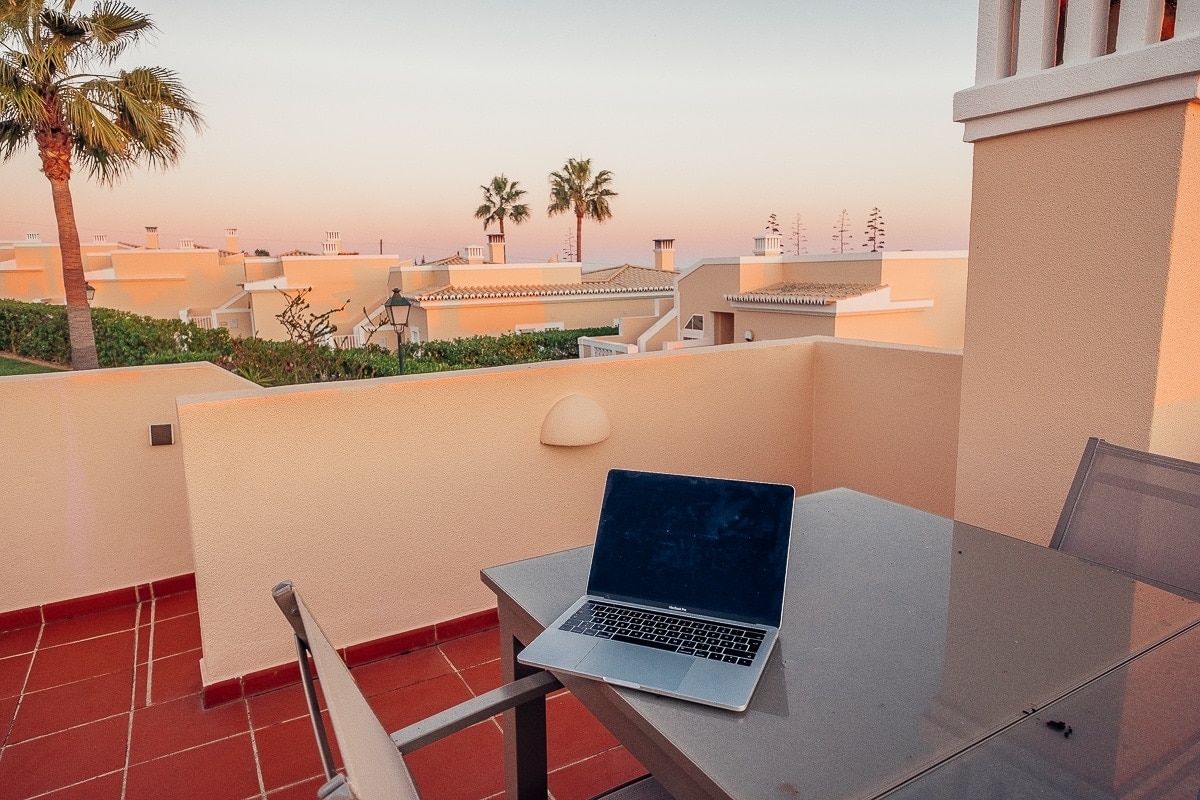
Our little house in Portugal was made for working. It was beautifully bright, with very comfortable chairs and a great desk, while also being a lovely place to relax. We genuinely enjoyed spending time there.
Our flat in Spain wasn’t bad as such, but it was much darker, with very uncomfortable chairs and a wobbly table. The furnishings were older and it was harder to unwind there – we much preferred being out and about.
Why am I telling you all this? Because to work effectively from home, you need to create a workspace where you actually feel good.
5) Good lighting is the most important thing for productivity
It might sound trivial, but the single most important thing everyone should sort out at home is lighting.
It’s well established that poor lighting while you work is linked to negative effects on both our mental and physical health – things like eye strain, headaches, fatigue, as well as stress and anxiety in the work environment.
Numerous studies have shown that the right lighting can boost productivity and improve our mood (you can read more about how light affects mood here).
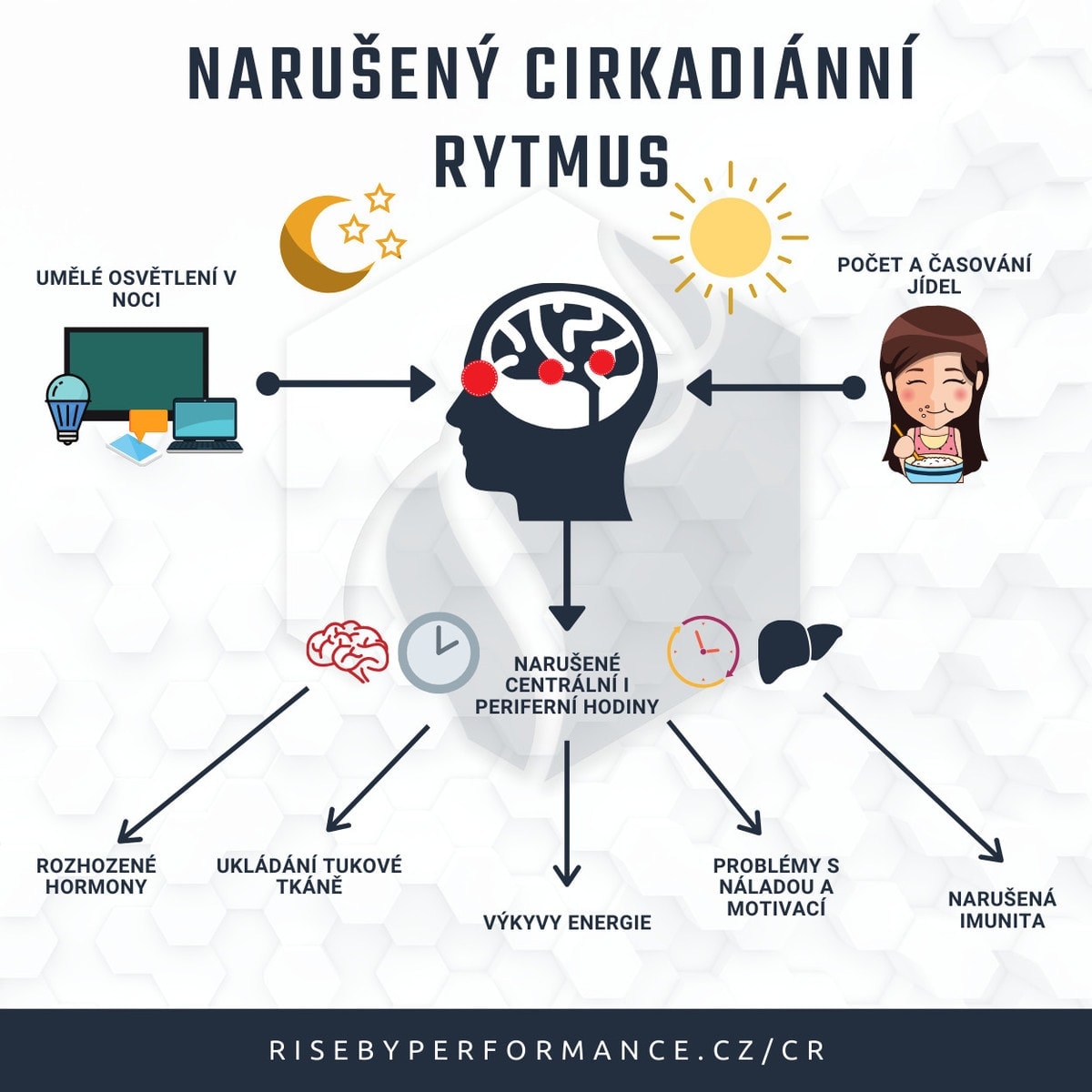
We should try to light our homes throughout the day in a way that supports our circadian rhythm. Daylight is best for working, so you should work in the brightest room in your home, ideally near a window. But what if you don’t have that option or your windows are small?
The best solution is bulbs that simulate sunlight as closely as possible. For darker rooms, get a “sun-style” light fitting that mimics natural daylight.
For our flat we chose smart bulbs from Philips, which can be set so the light intensity gradually changes as the day progresses.
The Philips app has presets for reading and concentration, and you can even switch on lights designed to energise you. The idea that light supports work and learning is backed by research too – several universities have spent years studying the effect of lighting on students’ performance.
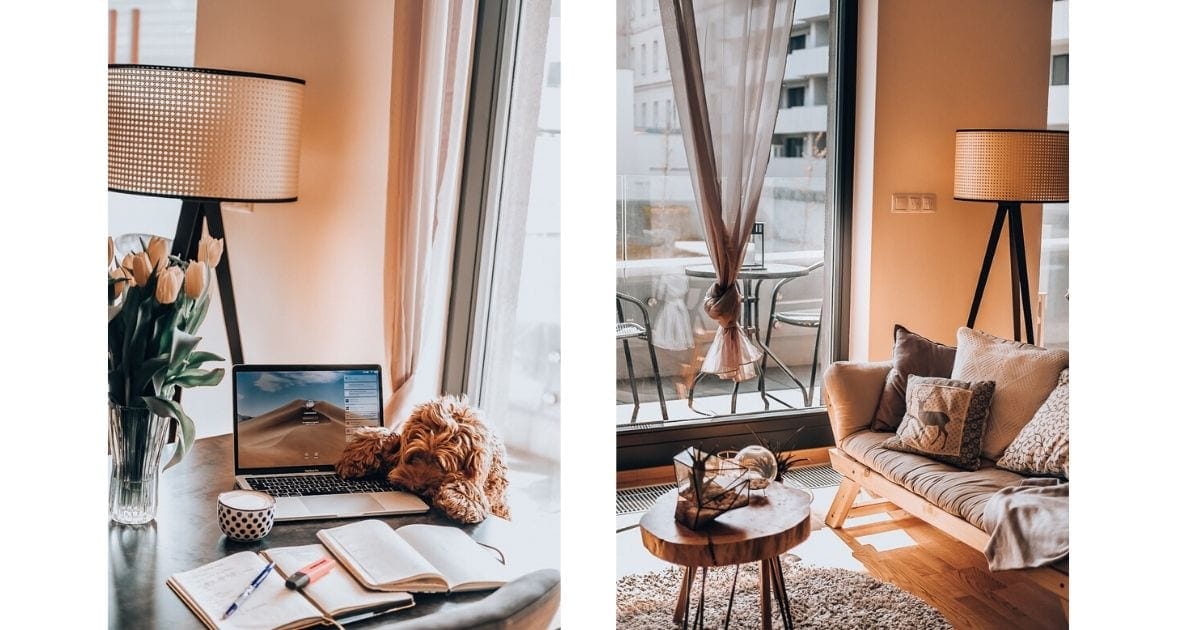
Although Lukáš and I live in a very bright flat with one entirely glass wall, some days – especially in winter – it gets pretty dark in here too. On top of that, smart bulbs are absolutely ideal for the evening.
For the past year we only used candles in the evening for the sake of good sleep hygiene, but smart bulbs adapt and give off only a soft, dimmed light in the evening, so they don’t disrupt your wind-down before sleep. Proper sleep hygiene and quality sleep are crucial for your productivity and creativity.
The light source you choose matters too. During the day you should rely on overhead ceiling lighting, which is best for working from home.
Towards the evening you should switch to spot lighting from lamps (we got ourselves a nice floor lamp). In the evening, light should ideally come from below – we haven’t quite cracked that yet, but we use lanterns for it. And if you want to give a space a unique sparkle and a touch of elegance, go for crystal lamps.
I’d recommend reading this book on the topic: Why We Sleep by Matthew Walker.
6) How to choose a desk for working from home
For us women, design matters; for men, it’s all about function. To pick the right desk for work, you’ll need to combine both approaches. The look of the desk will carry different weight for everyone, but if you care about how things in your home look, don’t lower your standards. You might just have to search a little longer. You should feel good even while you work.
At the same time, you should never buy a work desk based on looks alone. What matters is that your legs fit comfortably underneath and the work surface is wide enough to hold everything you need.
Lukáš and I usually have so much stuff on the desk that instead of two separate work desks we got one enormous dining table. At least that leaves room in the flat for the piano and a vanity table. It also forces us to keep up our daily routine.
7) How to choose a chair for your home office
If you work 40 hours a week, you’ll spend roughly 1,900 hours a year sitting. Anyone setting up a home office shouldn’t be afraid to invest in a quality chair.
It’s one of the things I’m honestly looking forward to once Lukáš and I move into a house.
What should a quality chair have?
- Lower back support
- Plenty of adjustable parts – everybody is different, so a quality office chair has anywhere from 5 (up to 14) different parts you can adjust and customise
- Breathable material – definitely avoid anything that is or looks like leather. On a chair like that you’ll at least end up with a sweaty backside in summer, and at worst you’ll break out in a rash. Go for a material that breathes.
TIP: Don’t underestimate how you light your work corner at home – good task lighting makes a real difference to how comfortably you work.
8) How to force yourself to sit up straight
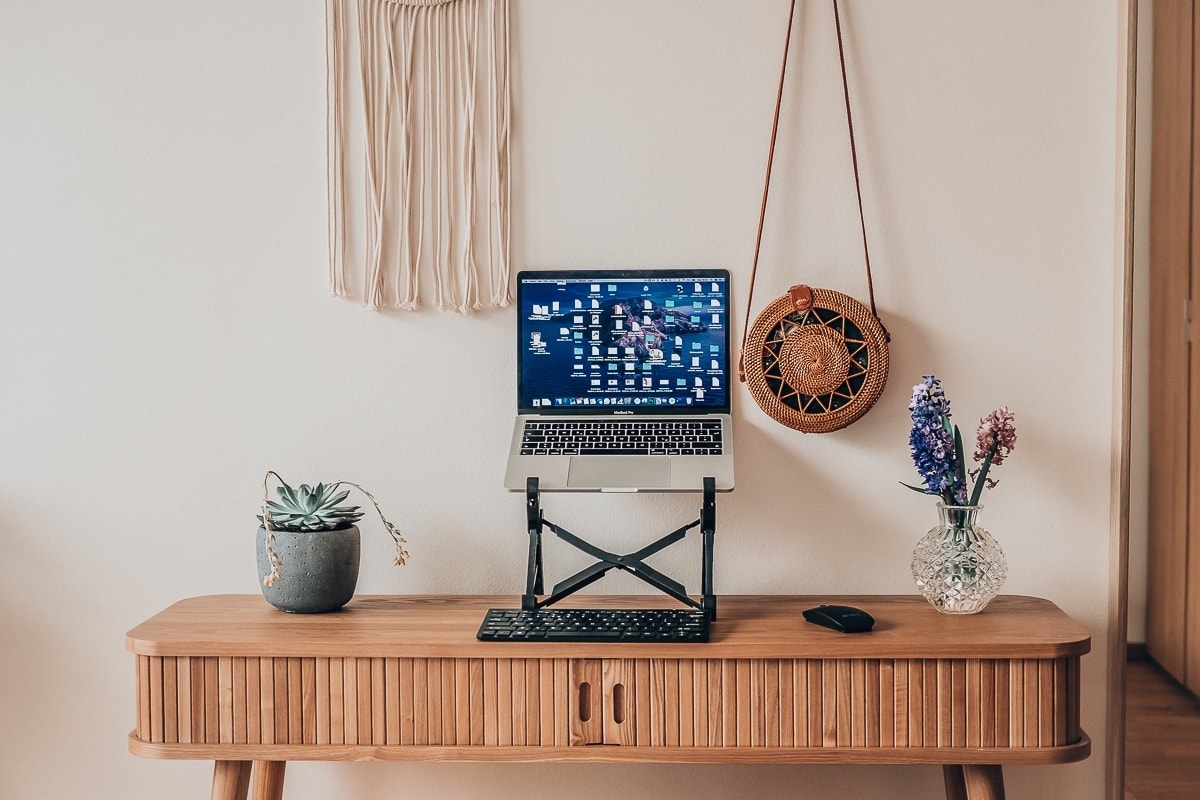
If you ask me about one thing I’d invest in right from the start, I’d recommend a laptop stand. These stands are especially popular among digital nomads, but I think anyone who works on a laptop should use one.
We both have BASE12 stands.
We digital nomads love the freedom that working from a laptop brings, but our backs can’t stand laptops. Working on a laptop forces us to hunch over the screen.
Raising the laptop screen to eye level not only forces you to sit up straight, it also reduces eye strain and headaches. Having the laptop elevated also means it overheats noticeably less – something anyone who edits video or photos at work will appreciate.
With a stand you’ll also need an external mouse and keyboard. I bought a matching set. The stand is designed for digital nomads, so it weighs next to nothing. You will need a bit more desk space, though, so keep that in mind if you’re also buying a desk.
9) How to deal with headaches
When I was dealing with a crisis over the past few months and had to work 14 hours a day, I had unbearable headaches. I’m used to headaches – I get them from the computer all the time – but this was so bad that if I hadn’t known it was screen-related, I might have started worrying about my health.
It got to the point where I’d look at the monitor in the morning and the pain would hit instantly. So we finally made an investment Lukáš and I had been mulling over for ages: we bought computer glasses that block blue light. Since I started wearing them, I haven’t had a single headache!
For everyday wear I use GUNNAR Gunmetal with clear lenses (they block 30% of blue light), and for the evening GUNNAR Gunmetal with amber lenses (blocking 70% of light). Lukáš went for DEV1S Cyclops.
10) How to deal with back pain
Working from home often means you don’t budge from the house all day. Especially if you don’t have a dog, the weather’s miserable, and there’s food in the fridge. But humans aren’t built to sit around all day, and it’s not good for our bodies.
Even though it might feel like it’s doing you no harm, the problems can show up six months or a year later. And then they hit you hard.
That’s why I recommend making movement a mandatory part of your working day. We go for three 30-minute walks a day, and around midday we do yoga or some other workout.
If you’re into yoga, I recommend the Down Dog app, which Lukáš and I have been using for a year and a half now. You can choose the length of your session and which body part you want to work on.
I know some of you are thinking that walks are a waste of time. But did you know that plenty of successful entrepreneurs, like Steve Jobs, used to go for walks because a stroll in the fresh air stimulates ideas?
For my part, I can say that our walks not only clear our heads, but I often come up with solutions to problems I’d been wrestling with for hours.
Tips and Tricks for Your Vacation
Don’t Overpay for Flights
Search for flights on Kayak. It’s our favorite search engine because it scans the websites of all airlines and always finds the cheapest connection.
Book Your Accommodation Smartly
The best experiences we’ve had when looking for accommodation (from Alaska to Morocco) are with Booking.com, where hotels, apartments, and entire houses are usually the cheapest and most widely available.
Don’t Forget Travel Insurance
Good travel insurance will protect you against illness, accidents, theft, or flight cancellations. We’ve had a few hospital visits abroad, so we know how important it is to have proper insurance arranged.
Where we insure ourselves: SafetyWing (simple monthly subscription) and TrueTraveller (for extra-long trips).
Find the Best Experiences
Get Your Guide is a huge online marketplace where you can book guided walks, trips, skip-the-line tickets, tours, and much more. We always find some extra fun there!


