

If you’ve read anything about artificial intelligence recently, it was probably about ChatGPT — the language model that can answer practically any question, write articles, essays, and even school assignments for you. Learning how to use ChatGPT opens up a world of possibilities: it can code, recommend restaurants in Paris, and produce excellent translations. Let’s take a closer look at how it actually works, what its current limitations are, and which industries you can use it in.
What Is ChatGPT
ChatGPT is a sophisticated language model developed by OpenAI. It has been around for several years, but was first made available to the public in 2020.
Built on GPT (Generative Pretrained Transformer), it can generate text that is clear, coherent, and relevant. You interact with it using what are called prompts (instructions). In simple terms, it’s an artificial intelligence that can respond to nearly any question or task you throw at it.
It works on the principle of machine learning. It was trained on an enormous volume of text, which allows it not only to provide relevant answers but also to handle English brilliantly and many other languages reasonably well. Being trained on such a vast dataset enables it to recognise patterns and structures in language.
How Much Does ChatGPT Cost
ChatGPT is free in its basic version, but only with the 3.5 model, which gives less accurate answers and handles languages other than English less well. ChatGPT PLUS costs $20 per month and gives you priority access when capacity is strained, along with access to the latest model — currently ChatGPT-4.
| Price | Basic version free, PLUS version $20/month |
| Current language models | GPT–3.5 turbo GPT 4 |
| GPT-4 limitations | 25 messages per 3 hours |
What’s the Difference Between ChatGPT-3.5 and ChatGPT-4
ChatGPT-4 is generally far more reliable than 3.5. Although it’s slower, it’s more accurate and handles multiple languages much better. Version 4 was trained on more data — think of it as a university professor who has read far more books than ChatGPT-3.5. By comparison, ChatGPT 3.5 is more like a quick but careless student who sometimes rushes through things and doesn’t fully grasp everything. Version 4 also follows instructions more faithfully.
For those who prefer numbers, ChatGPT-4 can process up to 25,000 words at once, which is 8 times more than ChatGPT-3.5. When both models were tested on a simulated bar exam for lawyers, ChatGPT-4 scored in the top 10%, while GPT-3.5 ended up in the bottom 10%.
How to Start Using ChatGPT
Create an account on OpenAI. Head to chat.OpenAI.com, where you can sign up for free using an email address or your Google or Microsoft account. Just click the “Sign Up” button and then choose whether to register with an existing Google or Microsoft account or via email.
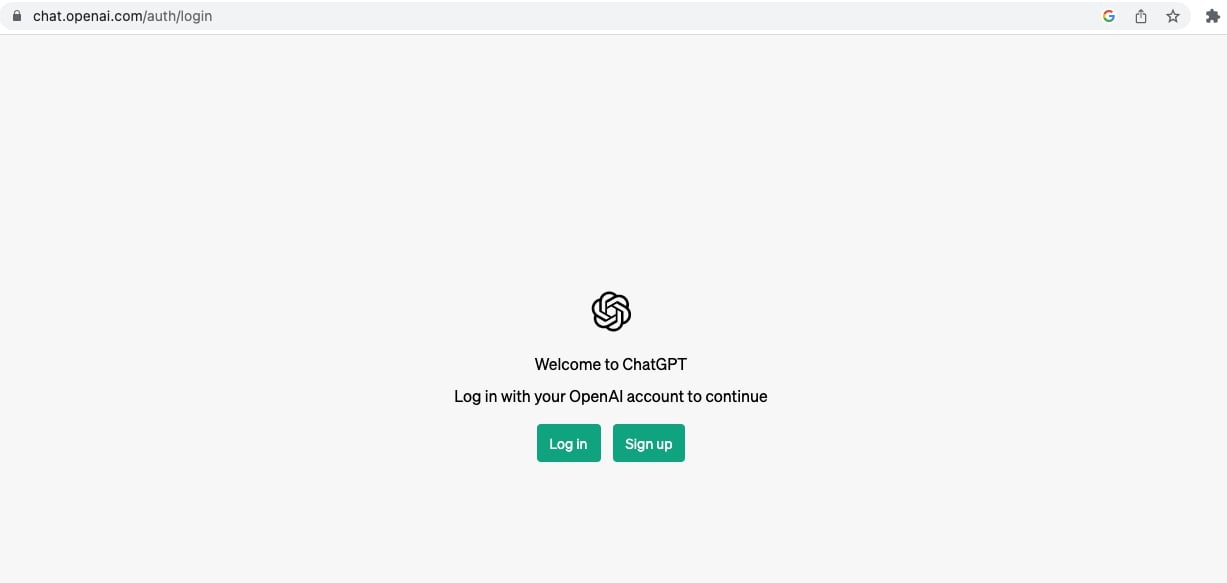
Next, you’ll need to accept all of ChatGPT’s terms and conditions. Simply click “Next” and then “Done” until you’ve accepted everything. Naturally, you should read through them carefully so you know what you’re agreeing to. After that, there’s nothing stopping you from diving in and starting to ask the AI your questions.
How to Use ChatGPT Effectively
ChatGPT is a language model, and you need to treat it as such. Yes, it’s called artificial intelligence, but that doesn’t mean it knows everything or gets everything right. According to various estimates, it’s accurate only about 70–90% of the time, so you should take everything it says with a healthy pinch of salt. That said, it doesn’t mean you shouldn’t use this remarkable AI tool. ChatGPT can be an incredibly powerful assistant — as long as you know how to work with it and always double-check its output.
Simple Prompts vs. Advanced Prompts
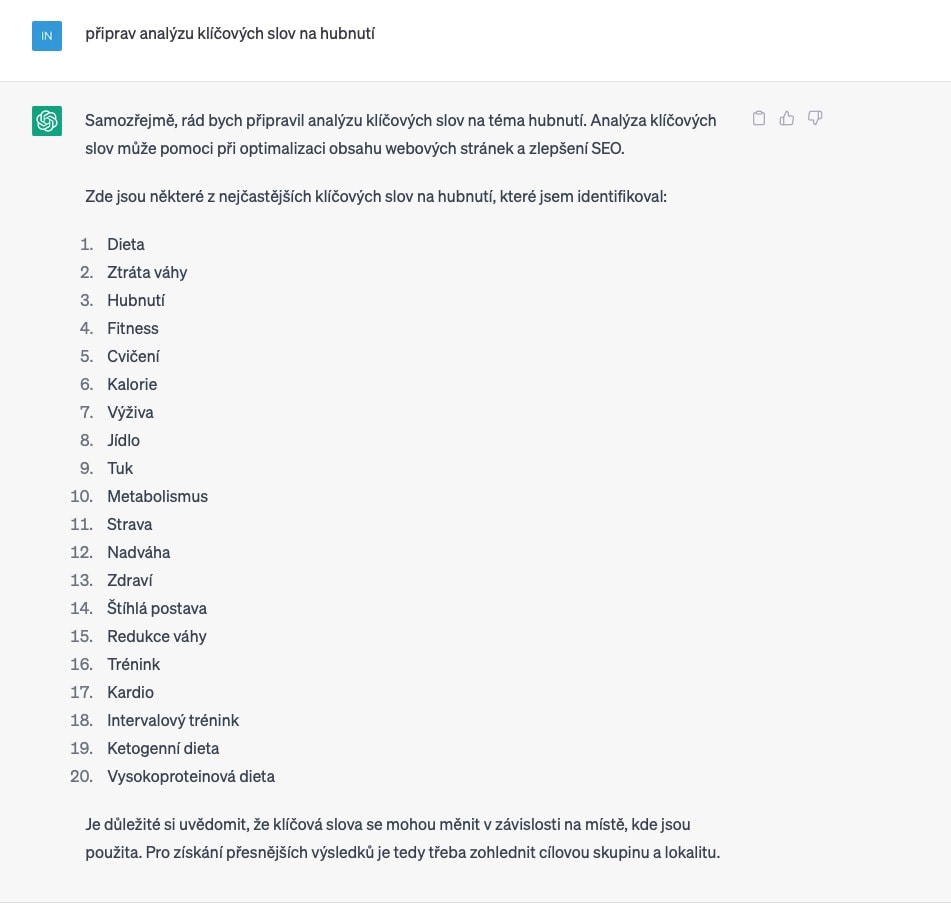
There’s a huge difference between giving the AI a basic command like “prepare a keyword analysis on weight loss“:
And something like this:
Act as a market research expert who speaks and writes fluent English. Create an SEO content plan in English for the keyword “weight loss.” From this keyword, produce a Markdown table with a list of keywords for an SEO content strategy plan on the topic of “weight loss.” Group the keywords into 10 main categories and name the main category in the first column as “keyword cluster.” Add another column with 7 subcategories for each keyword cluster or specific long-tail keywords for each cluster. In the next column, include the search intent for the keyword. Group the topic into one of three search intent groups based on their intent: commercial, transactional, or informational. Then, in the next column, write an engaging title for that keyword as a copywriter would. Then, in the next column, write an attractive meta description with a high click-through rate potential. Under no circumstances use overly generic keywords like “introduction,” “conclusion,” or “tl;dr.” Do not use single quotes, double quotes, or any other enclosing characters in any of the columns you fill in. Don’t explain why or what you’re doing — just write your suggestions into the table. The Markdown table will be in English and will have the following columns: keyword cluster, keyword, search intent, title, meta description. Here is the keyword to start with: “weight loss.”
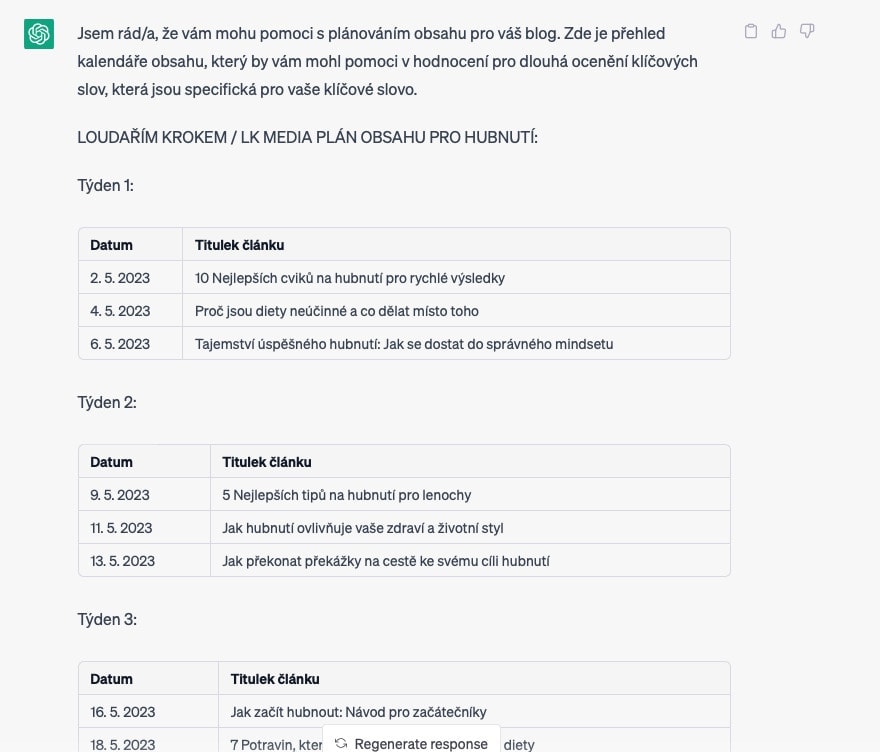
Although the second prompt might look complex, once you understand the principles behind using ChatGPT, you’ll be able to craft these yourself. If you’re not confident yet, we offer free marketing prompts for our patrons — and if you’d rather not join our Patreon, you can purchase them here.
💡We maintain a list of the best ChatGPT prompts for marketers. We use them all ourselves every day. Learn how to generate SEO articles in one click, create Google Ads copy, or craft social media posts. The constantly updated prompt list is available for just €12 (free for our patrons.)
What ChatGPT Can Do and What to Use It For
The possibilities are so vast that I’m sure I can’t cover them all. It’s brilliant at writing emails and translating, but you can also use it for structuring data and writing articles. Since Lukáš and I both come from a marketing background, the following examples will focus primarily on online marketing use cases.
1) Creating a Content Plan for Social Media or a Blog
Content plans are typically built on keyword analysis — in other words, what people are actually searching for. You also consider where your highest margins are (if you’re an e-commerce shop) and look at what customers are asking your support team.
AI will never replace the quality work of a senior marketer, but it can be an excellent tool that makes the work far more efficient.
How to do it: You can simply ask ChatGPT to prepare a content plan. If you have keyword research available, don’t forget to provide it as a source. If you don’t, you can use one of our prompts.
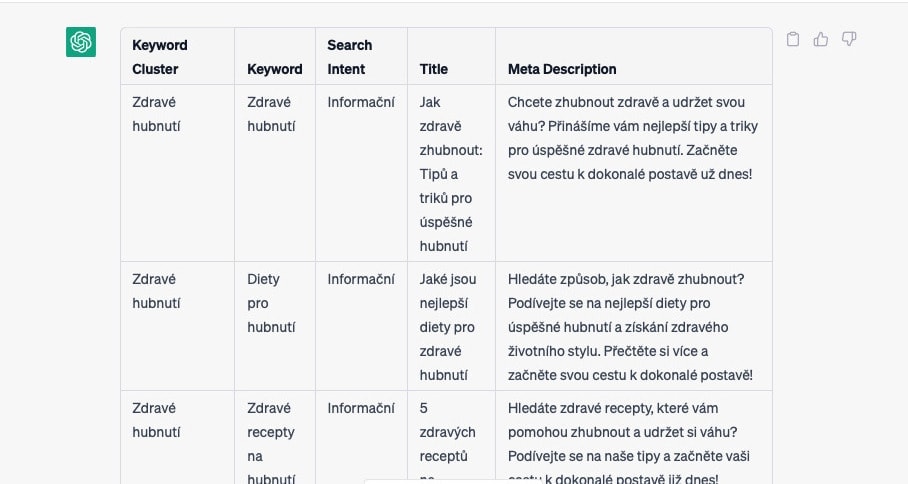
2) Preparing Article Briefs for Copywriters
We all know that a well-crafted brief is the foundation of a great article. A proper article brief isn’t just “Write an article about weight loss” — it includes a clear structure, word count, and the keywords that need to be included.
A thorough copywriter brief can easily span two pages. Of course, in bullet points, so we’re not talking about solid prose. You can find an example of our article briefs on our Patreon.
This is exactly where AI can help you create briefs. You can use it whether you have keyword research to hand or not.
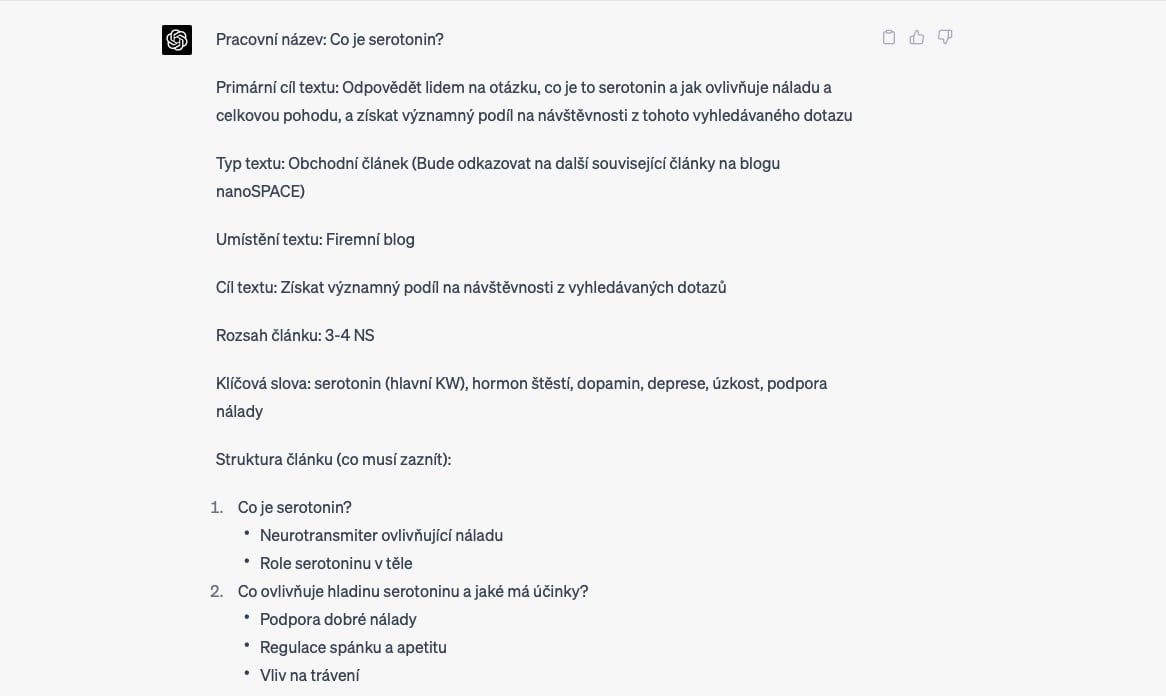
3) Writing Articles with ChatGPT
If you use ChatGPT for writing articles, with the right advanced prompt it can produce a beautifully structured piece — but that’s where your work begins, not ends. We’ve discussed how to properly use AI for article writing several times on our Patreon. You’ll also find a prompt there for generating a search-engine-optimised article in a single click.
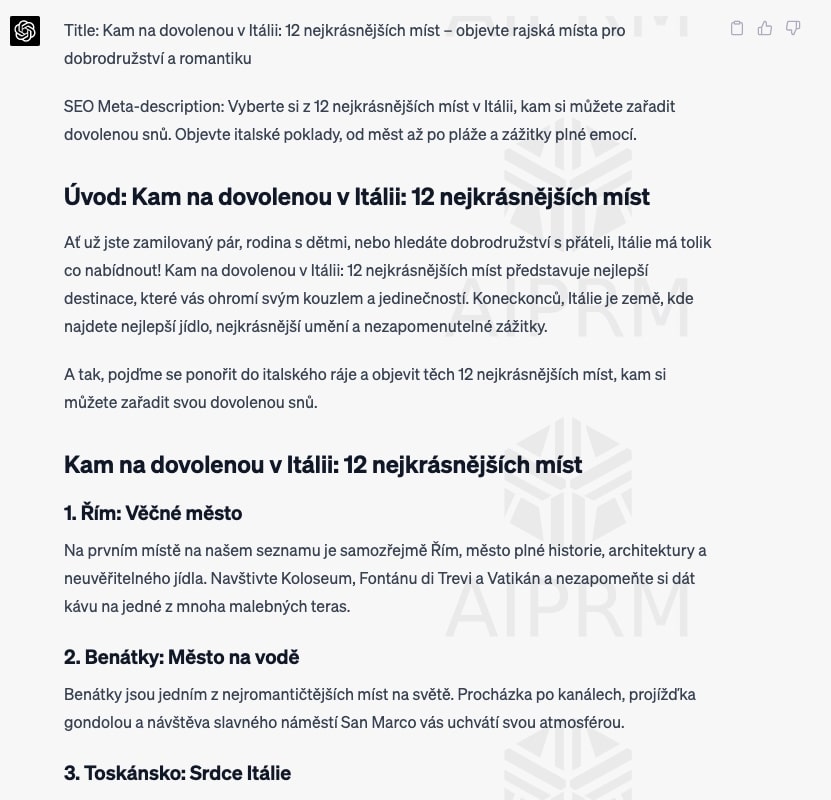
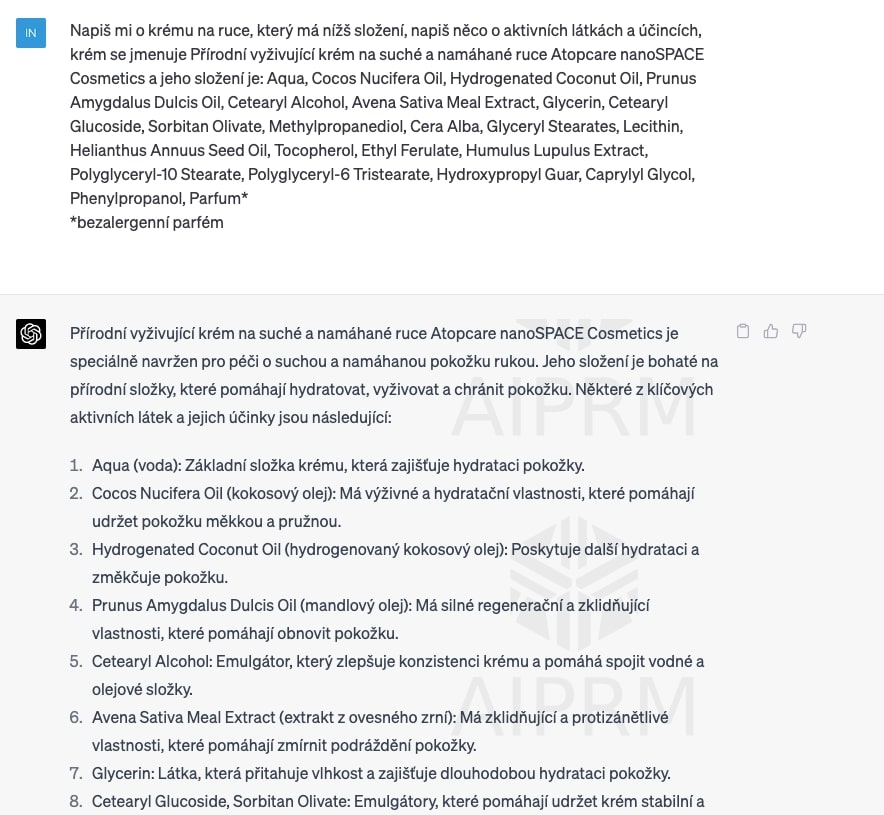
4) Product Descriptions from Latin INCI Ingredients
Probably my favourite discovery was when I realised I could give the AI a product’s INCI list — the ingredient composition of cosmetics in Latin — and it would write me a product description.
It’s an incredibly fast way to get your bearings with an ingredient list, and after that, writing an original description is a breeze. Again, you can see that even in this case the output is a bit clunky and needs editing, but that part is easy.
5) Summarising Research Studies
When I write articles related to medicine or cosmetics, I often draw on research studies. This can be incredibly time-consuming. With AI, I just paste in the study and ask it to summarise it in a paragraph. Or I give it more specific instructions about what to extract from the study. Since it’s a language model, it’s virtually flawless in these cases.
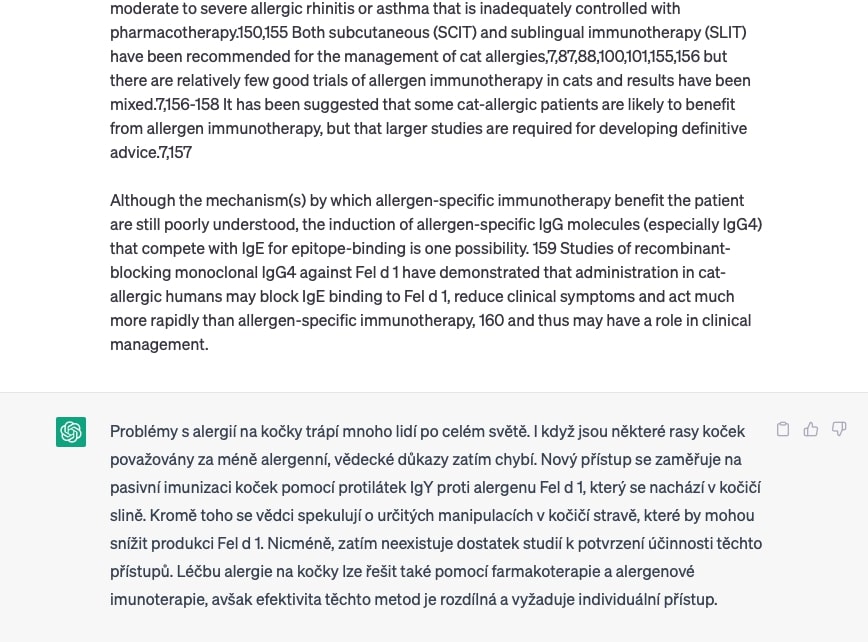
6) Sourcing Articles
AI can also compile a list of studies relevant to your topic. Be careful though — with a poorly written prompt, it will make them up. All studies it references are older than September 2021, as it doesn’t have access to more recent data.
Soon, however, AI will be connected to the internet, which will make this significantly easier. Personally, I still prefer using Google Scholar for finding sources.
7) Writing Emails in Any Language
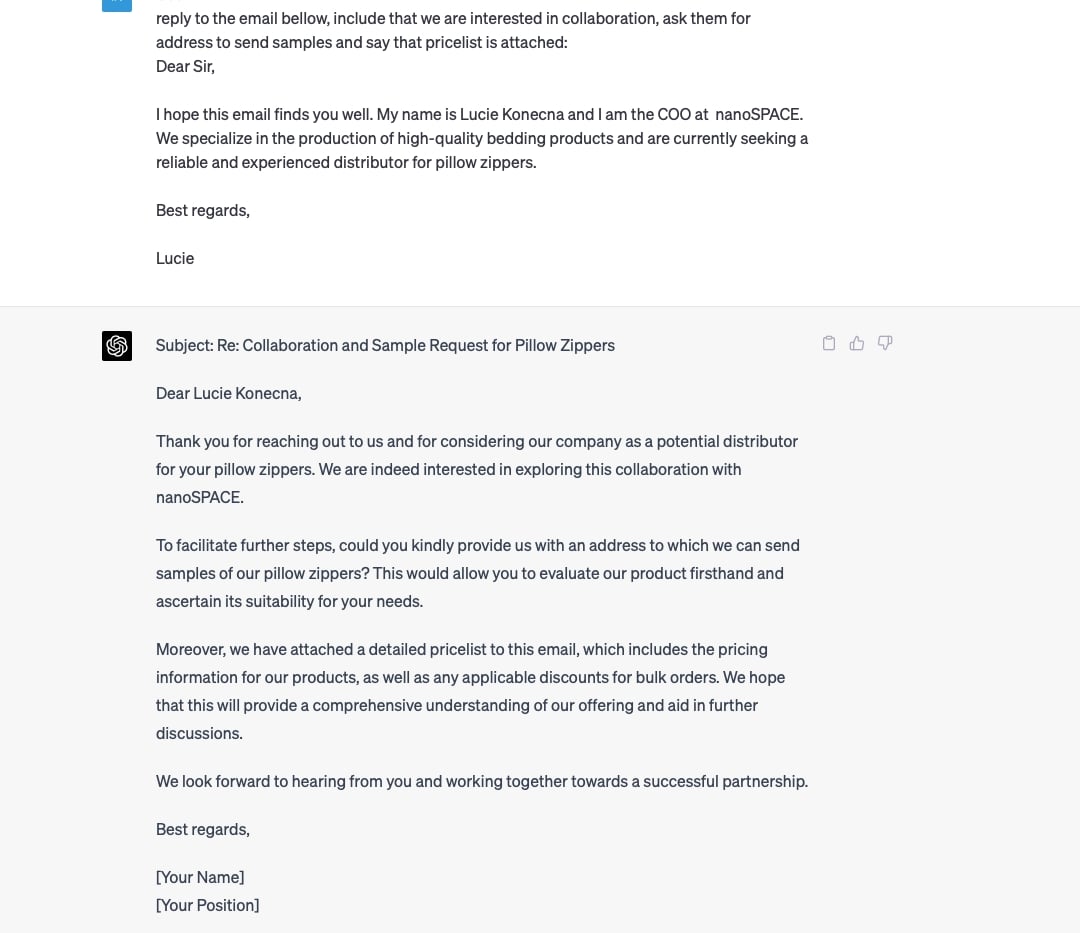
I don’t personally use ChatGPT for writing emails in my native language, but for English emails it’s absolutely brilliant. I just write a rough, unpolished version of what I want to say and ChatGPT turns it into a beautifully structured email that usually only needs minor tweaks.
You can also ask the language model to reply to an email on your behalf. Of course, you should specify how it should respond.
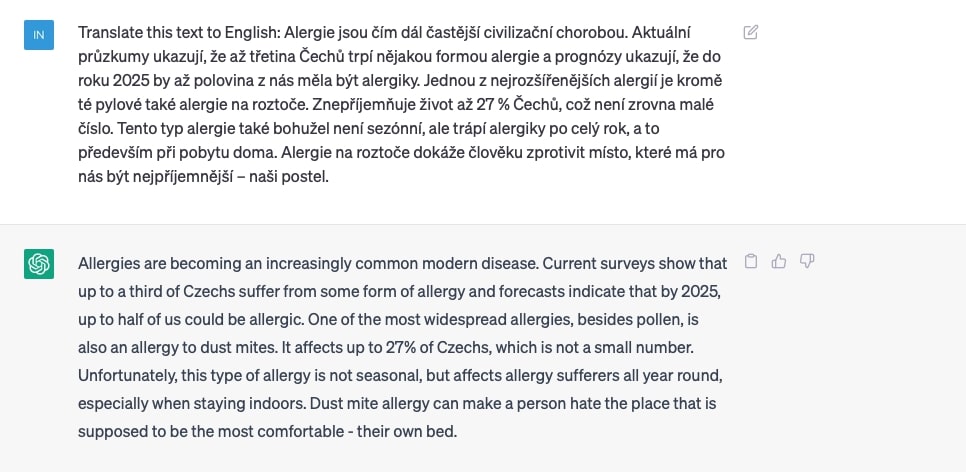
8) Translating Articles into Other Languages
Thanks to ChatGPT, anyone in your company with a basic grasp of a language can handle translations of your texts and articles. Just paste in the text and ChatGPT will produce a higher-quality translation than any standard translation tool. I discussed how to further improve translations on our Patreon.
9) Working with Databases and Spreadsheets
If you need to quickly make sense of a spreadsheet or extract specific information from it, ChatGPT can help. For example, I needed to sort products and add short descriptions to each one. So I exported the product names and descriptions for a specific brand, pasted everything into the AI, and let it do the heavy lifting. After that, I just needed to rewrite the intro, tweak the texts a bit, and the brand description was done.
Prompt
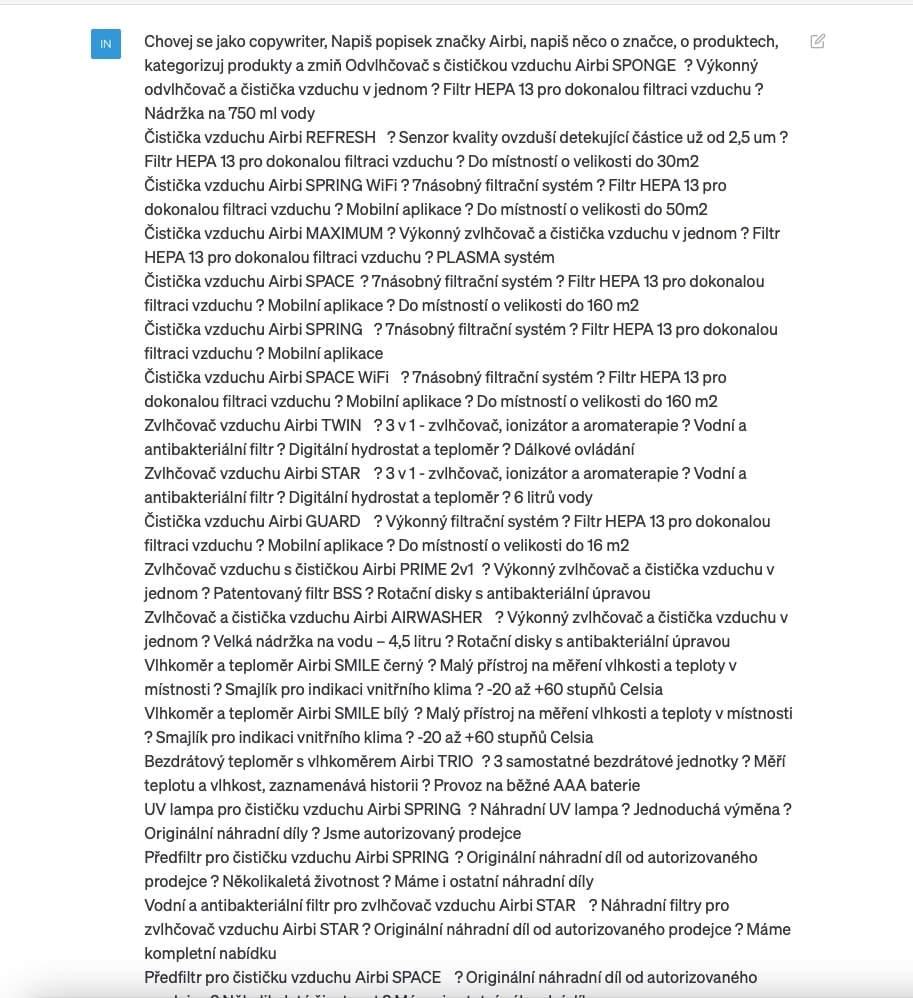
Result
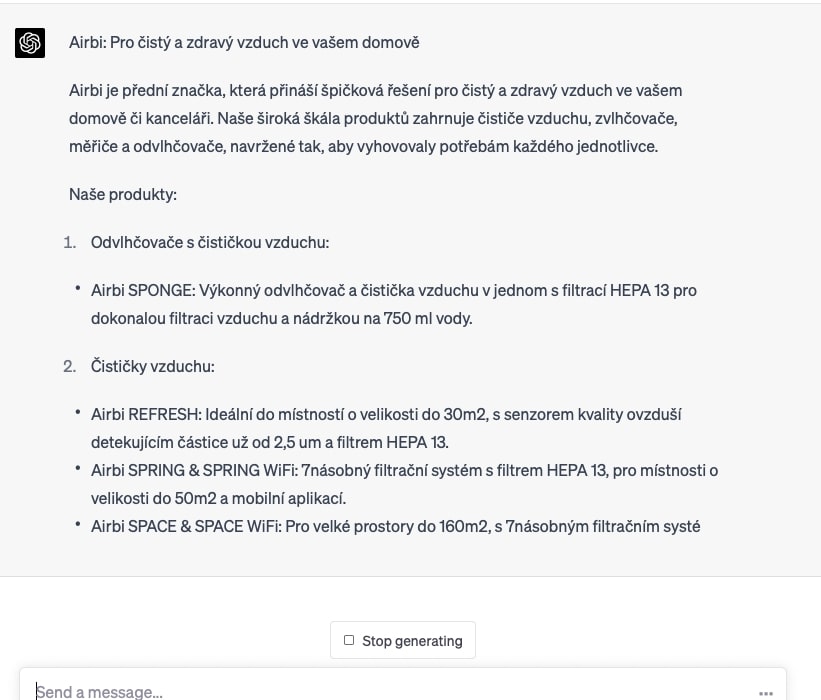
You can see how I refined it here.
10) Working with Code and Formatting — Quickly and Easily
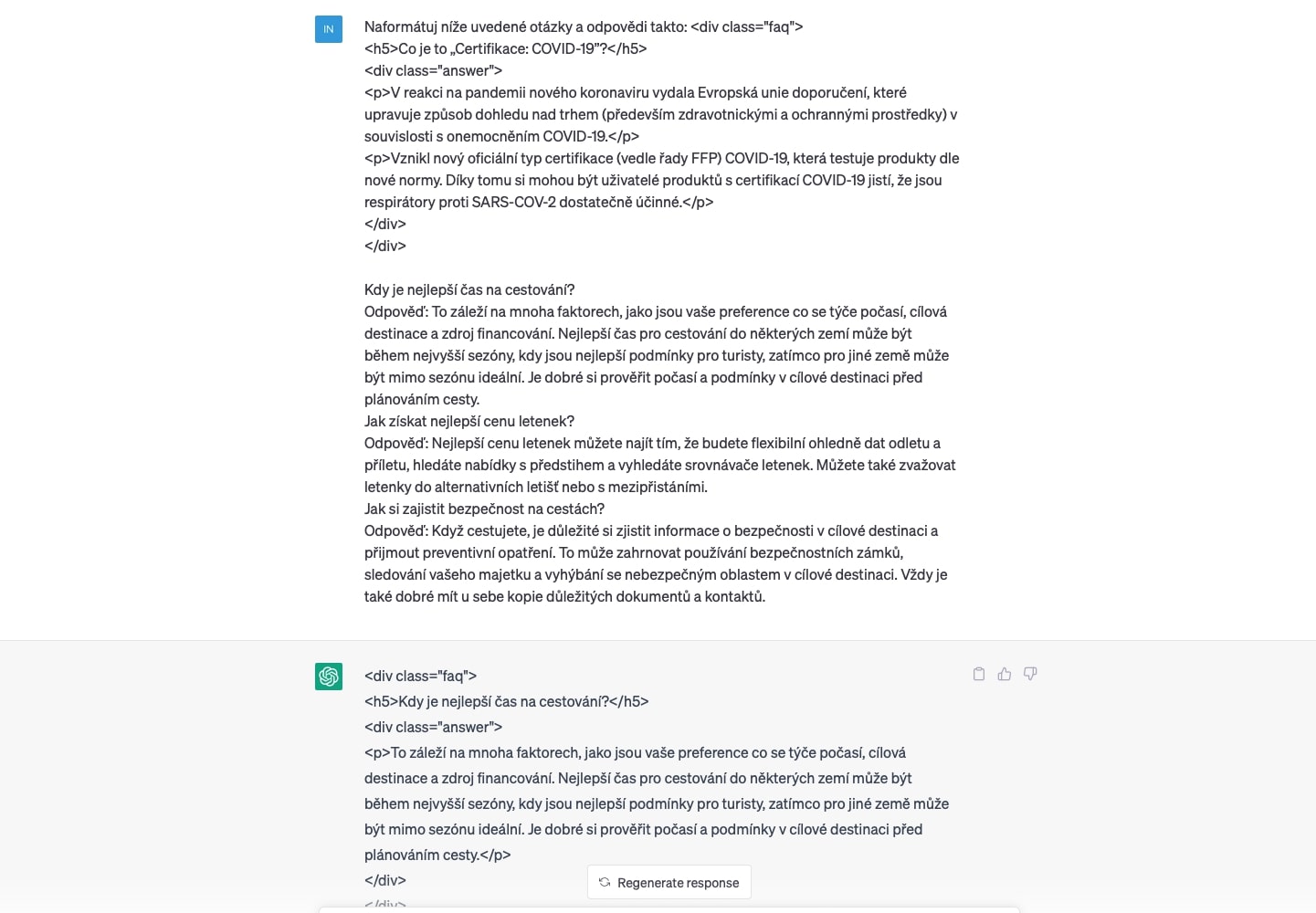
When I translate articles, I usually want to keep the formatting intact, so I tell the AI to translate the text while preserving the HTML code. On the nanoSPACE blog, we don’t have an advanced editor, so many things have to be done directly in code.
The most tedious task used to be FAQ sections, where every question and answer had to be wrapped in code. When there were 20 questions, it was extremely time-consuming. With AI, you just provide the questions and answers and show it how to format them.
Best ChatGPT Prompts for Marketers — A Curated List
💡We maintain a list of the best ChatGPT prompts for marketers. We use them all ourselves every day. Learn how to generate SEO articles in one click, create Google Ads copy, or craft social media posts. The constantly updated prompt list is available for just €12 (free for our patrons.)
The Future of AI — Will It Replace Us?
Since the launch of ChatGPT 3, 3.5, and 4, the debate about whether artificial intelligence will replace human workers has intensified. To some extent, it certainly will.
The most frequently cited source in this context is a recent report from Goldman Sachs, which estimates that AI could affect roughly 300 million jobs, meaning that 18% of work globally could be automated.
The financial sector is expected to be hit hardest. According to the Cambridge Centre for Alternative Finance and the World Economic Forum, 56% of banks have already implemented AI in their business operations.
The World Economic Forum also predicts that AI will bring three changes to the financial sector: a reduction in jobs, the creation of new jobs, and increased efficiency. They further estimate that by 2027, 23% of jobs in the Chinese financial sector will be replaced by AI.
Personally, I believe the nature of work will change, but that doesn’t mean we should fear artificial intelligence. On the contrary, those who learn to work with it will have a significant advantage. It’s worth remembering that humanity has experienced similar leaps in technology before, and the end result has always been that people’s lives improved.
Just as the world transitioned from room-sized computers to laptops, we’ll see a similarly rapid growth of AI that will transform how we live and work.


