

Sometimes the fares in the calendar look so friendly that you’re already mentally packing your swimsuit – and then you start adding a suitcase or hunting for a sensible departure time 😅. Suddenly you’ve got twelve browser tabs open and you’ve lost track of where you’re even flying from. That’s exactly when Google Flights at google.com/travel/flights comes in handy. It’s a flight search engine that doesn’t sell anything itself. Instead, it neatly compares offers from airlines and agencies in one place.
In this guide, I’ll show you how to compare dates in the calendar on Google Flights, check several departure airports at once and set up automatic price tracking by email. Let me be upfront, though: don’t expect some miracle trick, because prices change every day and the seller always has the final say. What you’ll end up with is more of a compared set of offers and a saved route search. And that gives you peace of mind and a clear overview of where and when it makes sense to buy your ticket.

Summary
- It doesn’t sell tickets: the Select button redirects you to the airline’s or agency’s website, where you handle the booking, changes and cancellations.
- Over 300 partners: it compares full-service airlines, low-cost carriers and aggregators, but airlines that don’t work with Google won’t show up in the results.
- The price excludes baggage: the default fare covers only the flight itself, mandatory taxes and airport fees – not cabin or checked bags, and not the seller’s fees.
- The calendar is a guide only: calendar prices are updated roughly once a day, and you’ll only see the final amount with the seller you choose.
- Best vs. Cheapest tabs: the Best tab balances price and convenience, while the Cheapest tab puts the lowest price first and adds agencies or self-transfer connections.
- Price tracking: the Track prices feature sends you email alerts for specific dates as well as for the Any dates option, as long as you’re signed in to your Google account.
- Up to 5 airports and no guarantee everywhere: based on available information, the field takes up to five airport codes at once, and the price guarantee (a refund of the price difference) isn’t available in many countries – it doesn’t apply in Czechia, for example.
What Google Flights Can and Can’t Do
At first glance, plenty of travellers mistake Google Flights for a ticket seller. That can lead to an unpleasant surprise when you need to change your booking or add a bag. Google really just works as an information hub that sorts data from airlines and sellers for you in a flash. After that, it’s entirely up to you on whose website you finally pull out your credit card.

A Search Engine, Not a Seller
When you pick your dream flight in the results and click Select, that’s only when you move over to the airline’s website or an online travel agency (OTA). In some cases, you’ll also see instructions for booking by phone on screen. All further communication – adding bags, changing dates or cancelling – then takes place exclusively with that seller, not with Google. So always double-check who you’re actually completing the purchase with.
The amount shining at you in the initial overview includes only the flight itself, mandatory taxes and airport fees. On the partner’s website, it will most likely go up with baggage surcharges or the seller’s card payment fees. On top of that, calendar prices are only updated about once a day. So treat those first numbers as a good starting point – you’ll see the valid final amount only at the last step with the seller.
Why You Won’t Find Every Flight There
Google pulls together offers from more than 300 partners, including full-service and low-cost airlines as well as online agencies. But if an airline doesn’t work with the platform, its flights simply won’t appear in the results at all. Likewise, you won’t see flights that are already sold out. Popular low-cost carriers like Ryanair or Wizz Air regularly show up in the results, but the selection may not be complete. Always verify the price with the airline.
The good news is that partnering with Google has no effect on the ranking of booking options, because partners don’t pay for better placement. Links are sorted by price, link type (airline or agency) and the quality of the mobile website. On top of that, the interface clearly highlights the cheapest booking options in green.
How to Search Google Flights Step by Step: Example with Prague and Vienna
Let’s walk through the whole search process together using a sample round trip from Prague (PRG) to Lisbon for one adult in economy class. We’ll also throw in a departure from Vienna (VIE) as an alternative. Please treat this route purely as an illustration without specific prices, since fares change every day – the same steps work from any airport you fly from. You’ll find more tips on cheap flights in our guide to cheap flights.

Entering the Route, Passengers and Class
1. Open google.com/travel/flights (if the site shows up in another language, add `?hl=en` to the end of the address to switch to English). 2. In the top bar, choose the ticket type (round trip, one way or multi-city) and set the number of passengers and cabin class (families will find the details in our article on flight tickets for children). 3. Enter the departure airport (Prague) and the destination (Lisbon) – you can also pick it by clicking on the map. 4. Click into the departure date field, where the expanded calendar immediately shows the lowest total price for each day. 5. Below the search, switch on the filters you need, such as Stops, Airlines, Bags, Times, Emissions or the More menu. 6. Above the list of flights, use the Best and Cheapest tabs or the Sort by menu (Top flights, Price, Duration, Departure time or Emissions). 7. Click through the flights for each leg of the trip and hit Select next to your chosen seller, on whose website you’ll complete the booking.

Searching Several Airports at Once
One of the most practical features of Google Flights is the ability to search several departure or arrival airports in a single query, so you don’t have to enter Prague and Vienna in two separate browser tabs. Just type the airport codes separated by a comma into the departure field, for example “PRG, VIE”, and the system will line up results from up to five airports in one list. That way, you can check a popular Central European quintet like PRG, VIE, BTS, MUC, KTW (Prague, Vienna, Bratislava, Munich and Katowice) all at once – and the same trick works for any cluster of airports near you.
💡 Tip: Take a look at the tips section above the results. Its Airports tab may show you a cheaper departure from a different airport. Just remember to add the cost of getting to that airport and any parking to its price.
Filters: Stops, Airlines, Times, Emissions
To avoid drowning in hundreds of flights and overnight layovers, use the filter bar right below the route search. With the Stops button, you can filter for nonstop flights only in a single click, and in the Airlines menu you can tick your favourite carriers. The Times filter, in turn, makes it easy to rule out painfully early morning departures or late-night returns. When you expand a flight, you’ll see an emissions estimate. The Emissions filter offers a Less emissions only option.
How to Compare Dates
If you’re not tied to one fixed holiday date and can shift your departure by at least two or three days, you’ll often see flight prices change noticeably depending on the day of the week and current demand. To get a quick idea of when it pays to fly, Google Flights gives you two tools: the calendar in the date field itself, and the Tips section above the results, where you’ll find the handy Dates and Price graph options.

Price Calendar
As soon as you click into the departure date field, a calendar pops open showing the lowest total price under each day. Keep in mind, though, that these figures only reflect the cheapest basic fares and aren’t updated in real time. You can scroll roughly 11 months ahead (about 330 days), depending on when airlines publish their schedules.

Date Grid and Dates
In the Tips section above the results, the Dates option shows you the dates with the best prices. The interface also offers a date grid (a table of departure and return days, with the cheapest combinations highlighted in green).
💡 Tip: The date grid really comes into its own when you’re planning a long weekend. One glance at the table tells you whether moving your departure from Thursday to Friday and your return from Sunday to Monday would knock the price down to a much friendlier level.

Price Graph
The Tips section above the results also includes a Price graph, which shows how prices develop week by week or month by month. You can easily move whole months forward or back and see when prices drop and when they spike because of public holidays or school breaks. For a real-world look at how seasonality affects airfares, check out our article on flights to Iceland. And right in the price graph window, you can switch on price tracking with a single toggle.
Best or Cheapest? Tabs and Separate Tickets
You may have noticed that since autumn 2024, search results have been split into two main tabs: Best and Cheapest. These two tabs do a pretty neat job of separating comfortable, straightforward flights from those where the lower price tag comes at the cost of some kind of travel compromise.

What the Cheapest Tab Means
In the default Best tab, the algorithm tries to strike a sensible balance between price, total travel time, number of stops and how easy the booking itself is. So the flights at the top are ones that make sense in terms of comfort, too. Switch to the Cheapest tab, however, and the system puts the lowest price first. It then adds extra offers from online travel agencies and combined routes with various trade-offs. With flights like these, you might have to collect and re-check your bag during a layover, or even transfer to a different airport in the same city. So before you click on that tempting price, always expand the flight details.

Separate Tickets and Self-Transfer: The Risks
On the Cheapest tab, and sometimes on the Best tab too, you’ll come across separate tickets (a self-transfer). This isn’t one guaranteed journey but several independent flights, each bought separately. Before you pay, make sure the flights connect with enough of a buffer. Be aware of these risks:
- Delays are your problem: if your first plane is late and you miss your connection, the second airline doesn’t have to give you a free replacement flight.
- You deal with your luggage twice: with a checked bag, you usually have to collect it, check it in again and go back through security.
- Fees multiply: you pay for changes or cancellations on each ticket separately. Don’t count on the US rule that lets you cancel a ticket for free within 24 hours. It doesn’t apply to European trips.
If you do go for a connection like this, give yourself a generous time buffer and consider travel insurance. You’ll find an example of a long-haul route with a connection in our article on getting to Mexico from Europe. With two separate bookings, you won’t get compensation for a missed connection, because each flight is assessed on its own. Any claim for delay compensation only applies to the specific flight that was delayed (more in our AirHelp review, a service that helps you claim compensation).
Luggage and Low-Cost Airlines
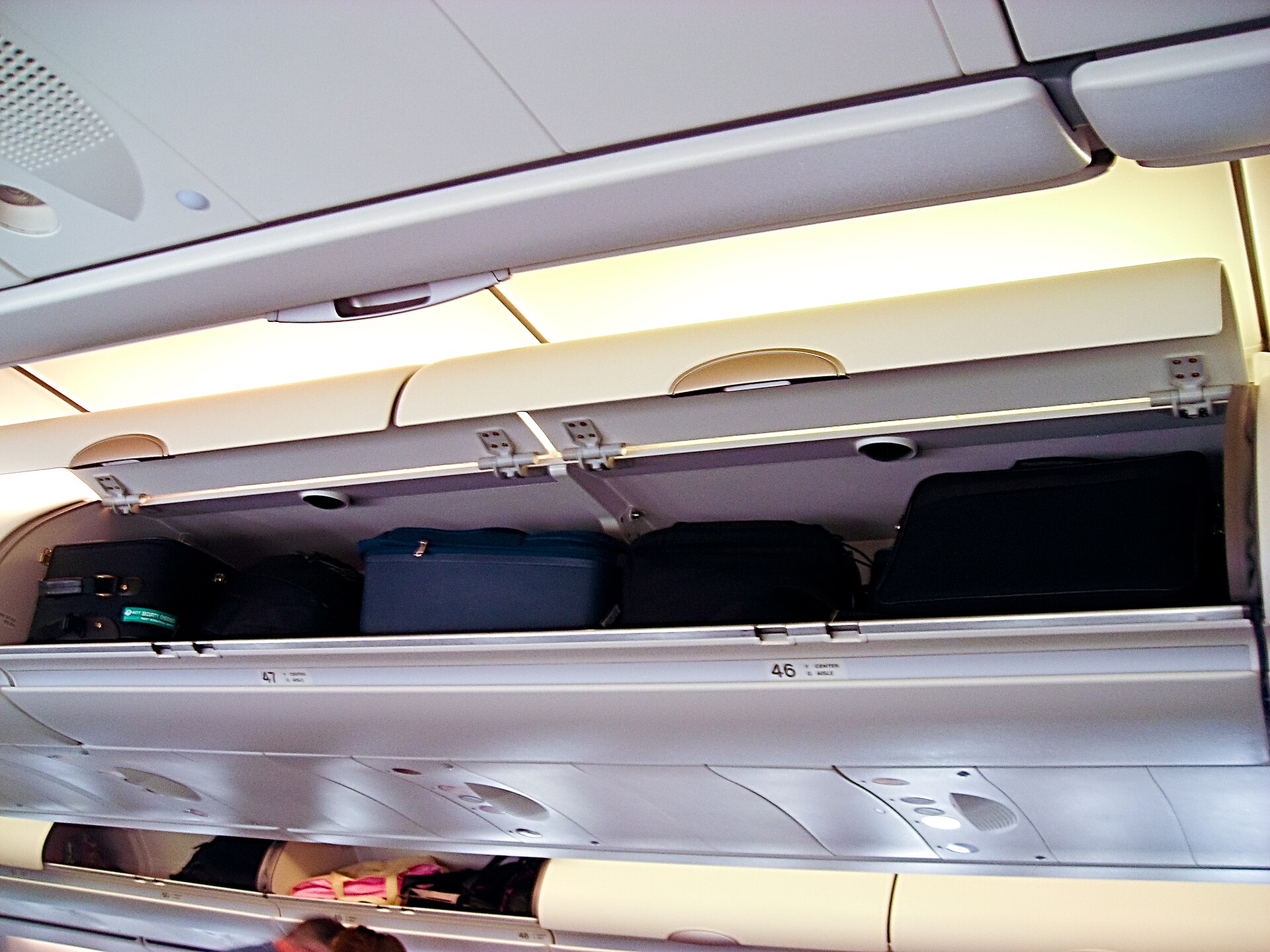
On cheap European flights, the base fare usually only covers a small personal item that fits under the seat ☺️. So you don’t have to add the cost of a bag by hand, set the Bags filter in the top bar and choose the number of carry-on bags for the overhead bin or checked bags. The system won’t wipe out most flights (the exception being flights where only seats without overhead bin access are left), so it only removes flights without overhead bin access. For all the other flights, it cleverly recalculates the displayed fares. Sometimes you’ll find out that a traditional airline with a bag included actually works out cheaper than a low-cost one.
Treat the filter as a rough guide, though, because fees can differ at the seller and the filter doesn’t take into account the size of the small under-seat item. Every airline sets its own size and weight limits for cabin bags. You’ll find details for individual carriers in our articles on Ryanair baggage, Wizz Air baggage, easyJet baggage and Smartwings baggage. When it comes to packing, you’ll also find our guides to the best carry-on luggage and what you can take on a plane handy.
Price Alerts: How to Set Up Track Prices
If you don’t fancy opening the search engine every evening after work to check whether flights to Lisbon have happened to drop, turn on the Track prices feature in Google Flights. It keeps an eye on your chosen route for you and sends you an email alert whenever the price changes significantly. According to available information, all you need is to be signed in to your Google account in your browser.

Specific Dates vs. Any Dates
According to the official Google Flights help page, setting it up is simple and takes just a few seconds:
1. At the top of the search engine, first set the number of stops, travel class and number of passengers. 2. Enter your departure airport and destination, and if you like, pick specific travel days in the calendar. 3. On the results page, switch the Track prices toggle on. 4. Choose whether you want to track the price for your selected dates, or flip the toggle next to Any dates. 5. If you only want to track one particular flight, first click through and select the flights for the whole route in the list, and only then turn on the Track prices toggle for that flight.
The difference between the two modes lies in when Google gets in touch. With specific dates, you’ll get an email when the price drops noticeably, when it’s expected to rise, or before a price expires. The Any dates option alerts you to a significant drop in the lowest price for a given month, or sends you a regular email with an overview of the best fares available.

Where to Find Tracked Flights and How to Turn Them Off
On the Tracked flights page, select the route. You can adjust the email alerts in its notification settings, or cancel tracking altogether with the Remove button. It’s easy to forget to switch off the alert in all the excitement of booking your flight. And then, even on the day you fly, your inbox keeps getting messages about how the price of your very own seat is changing 🙂.

“Prices Are Lower Than Usual / Likely to Rise” Tips
In the results, you’ll find a Tips section with messages about how prices are developing. Similar forecasts also arrive by email for flights you’re tracking. You’ll see messages such as “Prices are lower than usual”, “Prices are likely to rise” or “Prices are unlikely to drop before you book”. On your phone, this information is sometimes hidden behind labels like Book soon or Book. According to available information, the interface also shows a label telling you whether the current fare for the route is low, typical or high. These estimates are based on an analysis of historical prices on the same or similar routes. Always take them with a pinch of salt, though, because they’re just a statistical prediction, not a guarantee. A related price guarantee would refund the difference if the price dropped after you booked; Google has mainly tested it on selected flights from the US, and you won’t find it in Europe.

Explore: When You Don’t Know Where to Go Yet
Got a free week but no idea where to go? Try the Explore map feature at google.com/travel/explore. Just enter your departure airport and leave the destination blank (or type in a wider area like Europe). Then pick flexible dates, move around the map with prices and look for tempting destinations.
Google is also testing a new AI feature called Flight Deals (beta). If you can already see it, give it a go. It launched in August 2025 in the USA, Canada and India, and press reports say it has been rolling out to more than 200 countries since autumn 2025. You describe the trip you have in mind in your own words, and the system uses the same partner data to pick out heavily discounted flights. Flights at least 20% below the median of the cheapest prices over the last 12 months get a discount label (the median is the typical price in the middle of the price range). It can also show you discounted week-long trips up to six months ahead. For now it doesn’t support multi-city routes, infants or other special passenger types, or groups of more than four people.

Where to Buy Your Ticket: Airline or Travel Agency
On the final screen with the Select buttons, you’ll often see online travel agencies (OTAs) listed next to the airline’s official website. Google also says that users tend to prefer booking directly with airlines. I’d recommend the same if the price is identical or only a little higher. That way, if the schedule changes, the flight gets cancelled or you want to add a bag, you deal with the airline directly. There’s no waiting on a middleman’s hotline and no middleman service fees.
At the bottom of the page you’ll find settings for language, location (country) and currency, but switching country (for example with a VPN) won’t make your ticket cheaper. According to Google, the country you choose mainly affects which sellers you see, the payment methods and the cancellation terms. There’s no evidence that changing your country or using a VPN reliably lowers the fare. If you do spot a difference, factor in payment fees and the exchange rate too. 💡 Tip: We cover paying in foreign currencies in our article on how to save money with your card when travelling.

Google Flights vs. Skyscanner vs. Kiwi: The Differences
Google Flights and Skyscanner are search engines that send you to the airline or a partner to buy your ticket. The Czech-based Kiwi.com, on the other hand, sells tickets itself as an online travel agency (OTA):
| Feature | Google Flights | Skyscanner | Kiwi.com |
|---|---|---|---|
| :— | :— | :— | :— |
| Type of tool | Search engine covering 300+ partners. | Search engine for airlines and agencies. | Online ticket seller (OTA). |
| Sells tickets? | No, Select redirects you to the seller. | No, redirects you to partners. | Yes, you buy directly from Kiwi.com. |
| Price alerts | Yes, via Track prices (Google account). | Yes, by email or in the app. | Check on Kiwi.com. |
| Self-transfers | Separate tickets with no guarantee. | Transfer terms depend on the partner. | Self-transfers with the paid Guarantee. |
So use Google Flights for the calendar, searching several airports and price alerts. Before you buy, also compare prices in our flight search.

Common Mistakes
When you’re browsing flights late in the evening, it’s easy to miss an important detail, so watch out for these four common traps:
1. Trusting the headline price without luggage: The prices in the calendar don’t include a carry-on bag for the overhead bin or payment fees, and they don’t update in real time. Turn on the Bags filter right at the start and check the allowances with the airline. 2. Separate tickets with a short connection: On the Cheapest tab, if you’re doing a self-transfer, the risk of a delay and a missed connection is yours alone. With a checked bag, you usually have to collect it, check it in again and go back through security. 3. Blindly trusting price trend messages: The price trend messages in the results are based only on past data and aren’t a promise of anything. Google’s price guarantee isn’t available in most countries, so buy when the price fits your budget. 4. Chasing discounts by switching country or using a VPN: According to Google, the country you choose mainly affects which sellers you see, the payment methods and the cancellation terms. There’s no evidence that changing your country or using a VPN reliably lowers the fare. If you do spot a difference, factor in payment fees and the exchange rate too.
💡 Tip: Right before you enter your card details, take one last look at the flight date and time, the exact departure and arrival airports, and the included luggage.
Frequently Asked Questions
Does Google Flights sell tickets?
No, Google Flights works purely as a search and comparison tool, not as a direct seller. Once you pick a flight in the results and click the Select button, the system redirects you to the airline’s website or an online travel agency. That’s where you pay for the ticket and handle any changes or cancellations.
Is Google Flights free?
Yes, searching for flights, comparing dates in the calendar, and tracking prices are all free for travelers, and Google doesn’t charge you any service fees. However, if you want to turn on automatic email alerts using the Track prices toggle, you’ll need a free Google account login in your browser.
How do I set up price tracking for a flight?
First, enter the departure and destination airports in the search tool, along with the number of passengers and any filters you need. On the results page, simply turn on the Track prices toggle. You can choose to track a specific date (or even a single selected flight), or switch the toggle to Any dates. Once the price changes significantly, you’ll get a message by email.
How do I turn off price tracking?
On the Tracked flights page, select the route. You can adjust email alerts in its notification settings, or stop tracking altogether with the Remove button.
Are the prices on Google Flights final?
No, because the default amount shown in the results only covers the flight itself plus mandatory taxes and airport fees. It doesn’t include charges for carry-on or checked baggage, or any payment fees charged by the seller. What’s more, calendar prices are only updated roughly once a day, so you’ll only see the final, valid amount at the last step on your chosen partner’s website.
How many airports can I search at once?
Based on available information, you can enter up to five airports at once in the departure or arrival field. Just separate their three-letter codes with a comma (for example PRG, VIE, BTS). The system will then compare flights from all the entered cities in one combined list — just remember to factor in the time and cost of getting to a more distant airport on top of the ticket price.
What’s the difference between the Best and Cheapest tabs?
The default Best tab looks for a reasonable balance between price, total flight duration, number of stops, and ease of booking. The Cheapest tab, on the other hand, prioritizes the lowest price and adds in offers from other agencies or routes involving some travel trade-offs. These can include a self-arranged, non-guaranteed transfer, having to collect and re-check your luggage, or needing to travel between two different airports in the same city during a layover.
Does the Google Flights price guarantee work for international travelers?
No, Google has mainly tested it on selected flights departing from the US. You won’t find it available for international bookings. For general guidance, you can instead use the price trend notes in the results, which estimate — based on historical data — whether the current price on a route is low, typical, or high.
Is Google Flights better than Skyscanner or Kiwi?
Google Flights and Skyscanner work as search engines that send you off to buy from a partner, while Kiwi.com sells tickets directly and can put together its own self-transfer connections with an optional paid guarantee. In practice, I’d recommend comparing prices and dates across two different tools, and if the price is the same, favoring the airline’s own website for direct flights.
How far in advance can I search on Google Flights?
Based on available information, the Google Flights calendar lets you search roughly 11 months ahead (about 330 days), depending on when carriers release their flight schedules.
Tips and Tricks for Your Vacation
Don’t Overpay for Flights
Search for flights on Kayak. It’s our favorite search engine because it scans the websites of all airlines and always finds the cheapest connection.
Book Your Accommodation Smartly
The best experiences we’ve had when looking for accommodation (from Alaska to Morocco) are with Booking.com, where hotels, apartments, and entire houses are usually the cheapest and most widely available.
Don’t Forget Travel Insurance
Good travel insurance will protect you against illness, accidents, theft, or flight cancellations. We’ve had a few hospital visits abroad, so we know how important it is to have proper insurance arranged.
Where we insure ourselves: SafetyWing (simple monthly subscription) and TrueTraveller (for extra-long trips).
Find the Best Experiences
Get Your Guide is a huge online marketplace where you can book guided walks, trips, skip-the-line tickets, tours, and much more. We always find some extra fun there!


