

So you want to start your own blog but have absolutely no idea how to handle the technical side? We’ve been there, and we’re happy to help! Here’s a detailed guide on how to start a WordPress blog — from purchasing a domain and web hosting to installing your content management system in 15 easy steps.
What you’ll need:
- 1 hour of uninterrupted time
- A debit or credit card to pay for the domain and hosting
- A stable internet connection
How to Start a WordPress Blog
WordPress is the most widely used blogging platform in the world — and for good reason. It’s free, you can choose from a huge variety of themes, you can use plugins (add-ons that extend functionality), and you can monetise your blog without any restrictions.
The most common mistake blogging beginners make is choosing the wrong platform. Luckily, you’ve got us — so we’ll make sure that doesn’t happen.
Now you’re probably wondering — what’s the catch if it’s free? There isn’t one. WordPress is an open-source project, which simply means you need to install and set it up yourself.
We’ll walk you through the installation step by step. Don’t worry — it’s a breeze.
You only need two things
To set up your blog, you need a domain (your blog’s name with an extension) and web hosting.
- A domain is simply your website’s name with its extension — for example, our loudavymkrokem.cz
- Web hosting is the online storage space where your blog will live
Buying a domain and web hosting
This is the one part that isn’t free. Choosing the right web host is an important decision. First, because it costs money, and second, because switching providers later can be a real headache. What to look for in a web host:
- Uptime — whether they experience outages (times when your blog can’t be accessed)
- Monthly price
- Backups and customer support
- Unlimited email accounts (yes, you’ll have your own email like hello@yourdomain.com!)
For us, the choice is clear. We’ve been working with Blueboard.cz for several years and can’t recommend their services enough.

Our blog enjoys 99.99% uptime around the clock, and their customer support is among the best. Hosting costs around 3 € per month and you can get a domain from about 6 € per year. Altogether, your blog will cost roughly 40 € a year. As a bonus, with Blueboard.cz you can:
- Buy your domain together with hosting (no complicated transfers needed)
- Install WordPress with ONE CLICK
It might seem unnecessary to pay for anything when you’re just starting out, and you might be tempted by free or cheaper options. You’ll certainly find some, but trust us — we’ve tried them all. The problems we’ve had (like with one provider that couldn’t even hand over our site backup when hackers attacked) are something we never want to experience again.
STEP 1:
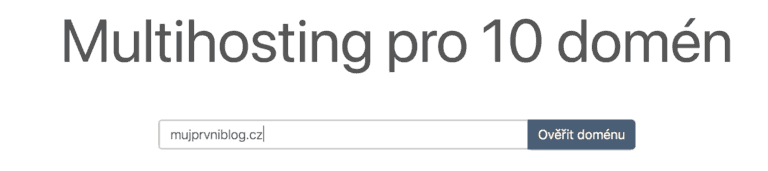
On the Blueboard.cz homepage, enter your desired domain name with its extension in the format yourdomain.extension and click Verify Domain.
STEP 2:
Hooray! The domain is available and we can proceed to order. The system will also suggest a range of other extensions. For now, we’ll stick with our chosen one and click Order.

STEP 3:
Select New Web Hosting with a new or existing domain.
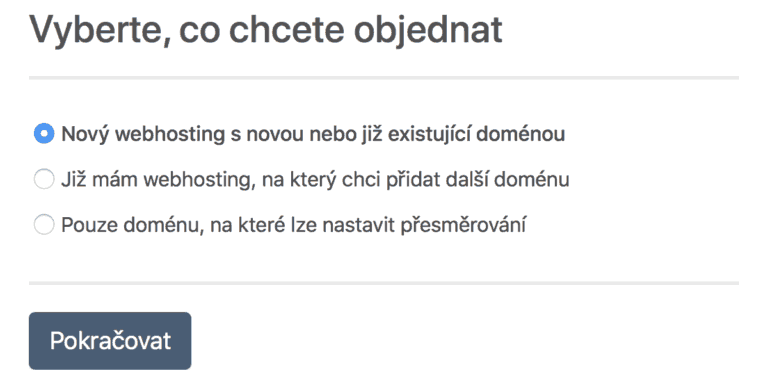
STEP 4:
Click Verify Domain again and continue.
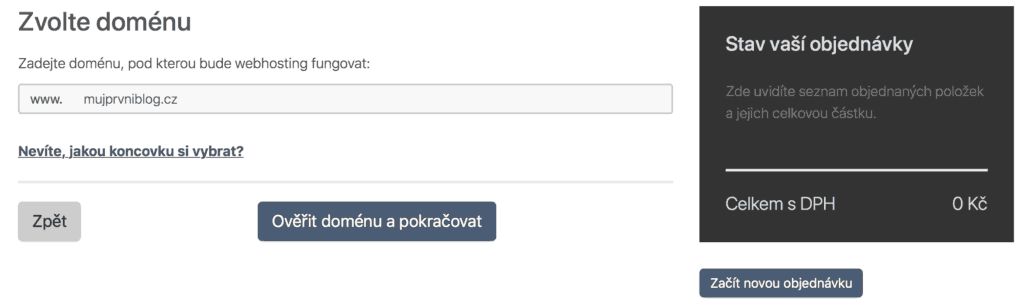
STEP 5:
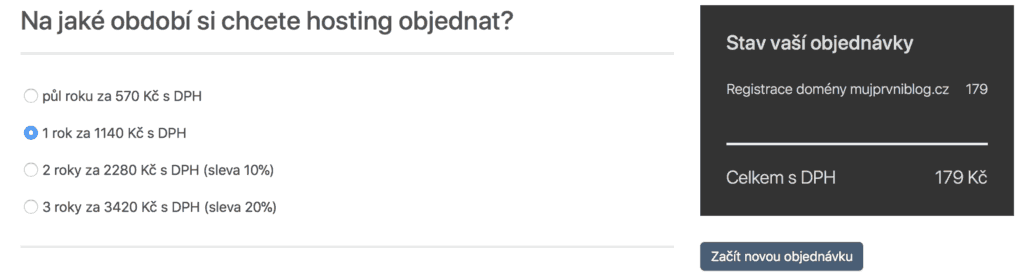
Choose how long you want your hosting for (usually 1 year) and click Continue.
STEP 6:
Fill in the required details and you’re done! You can pay for the order straight away, or you’ll receive a payment invoice via email within 10 minutes. You’ll also receive a bunch of login credentials for various technical sections of your hosting — don’t worry about those for now. However, make sure you save and print that email — you’ll need it later. From this point on, your admin panel is active and we can move on to installing WordPress.
How to Install WordPress
STEP 1:
In the top-right corner of Blueboard.cz, click on Administration and log in. You’ll see a list of your domains. You’ll only have one — ours looks like this:
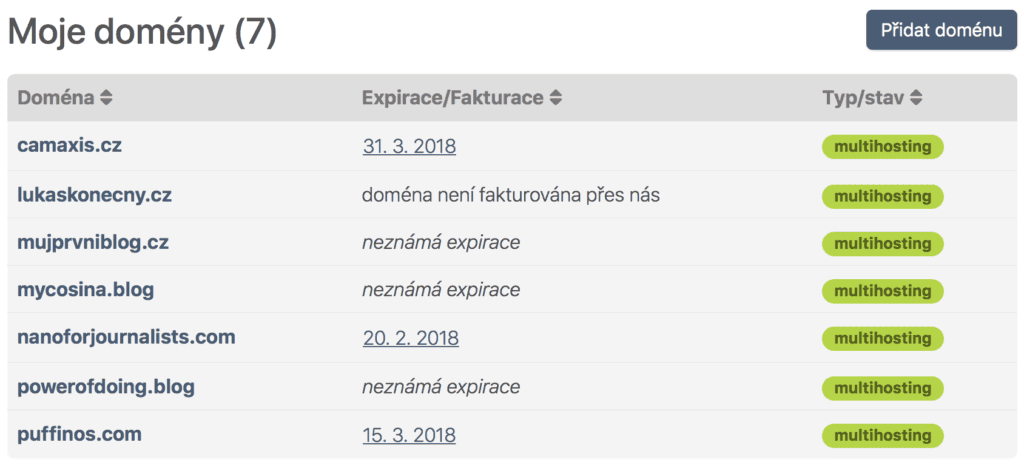
STEP 2:
Click on your domain name. In our case, we’ll be installing WordPress on the domain mycosina.blog (simply because there’s nothing there at the moment :)). On the bottom left, click on Software.
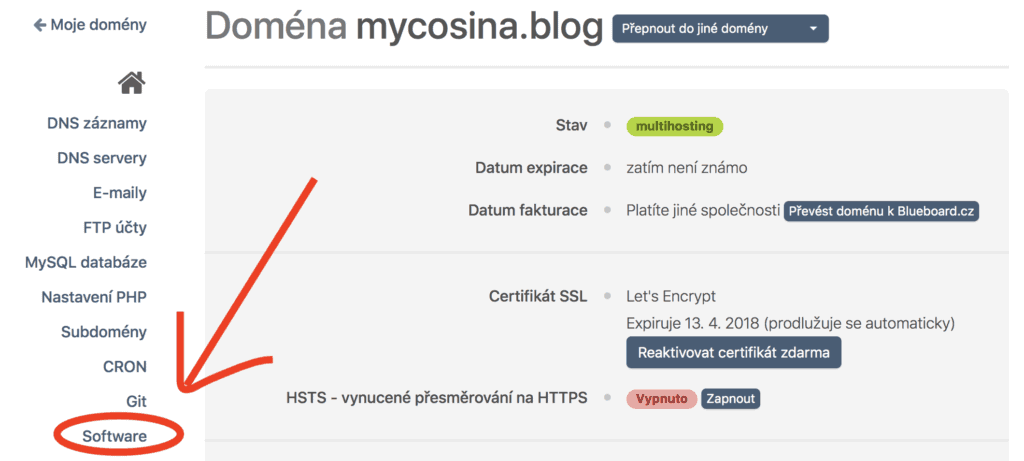
STEP 3:
You’ll see a range of platforms available for installation (for blogs, e-shops, etc.). Select the very first one — WordPress — and click Install.
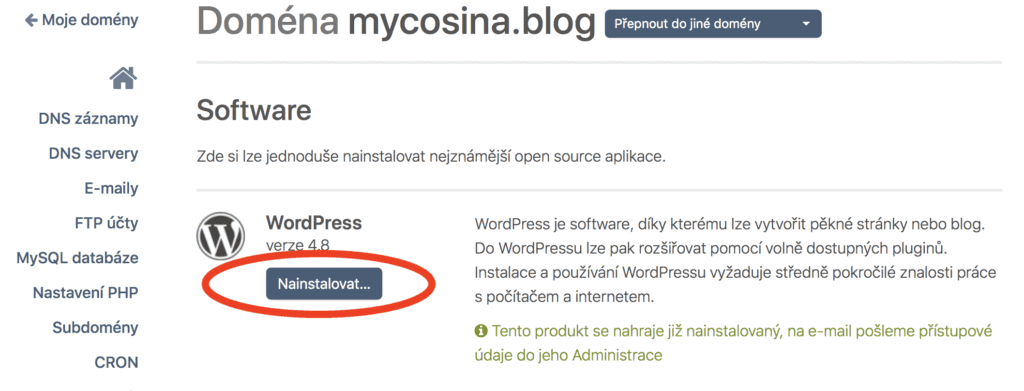
STEP 4:
Don’t change anything here — simply click Upload Software.
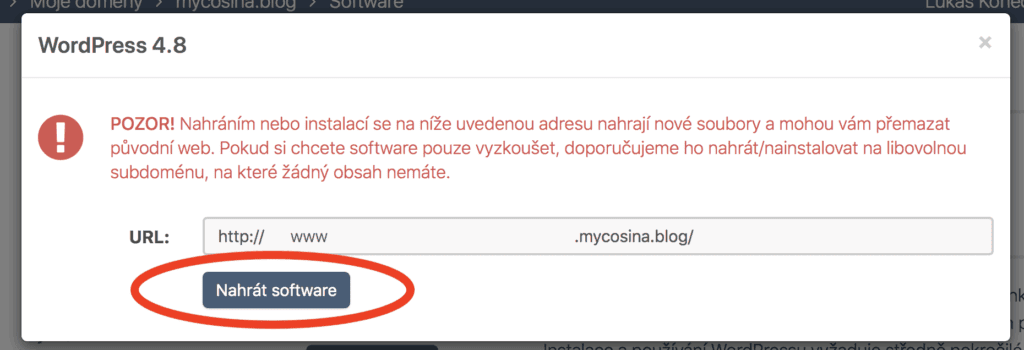
STEP 5:
And just like that, your blog is installed! You’ll receive instructions in your email on how to log in for the first time. Now all that’s left is to change the temporary password to your own. Click on the link next to the Address field.
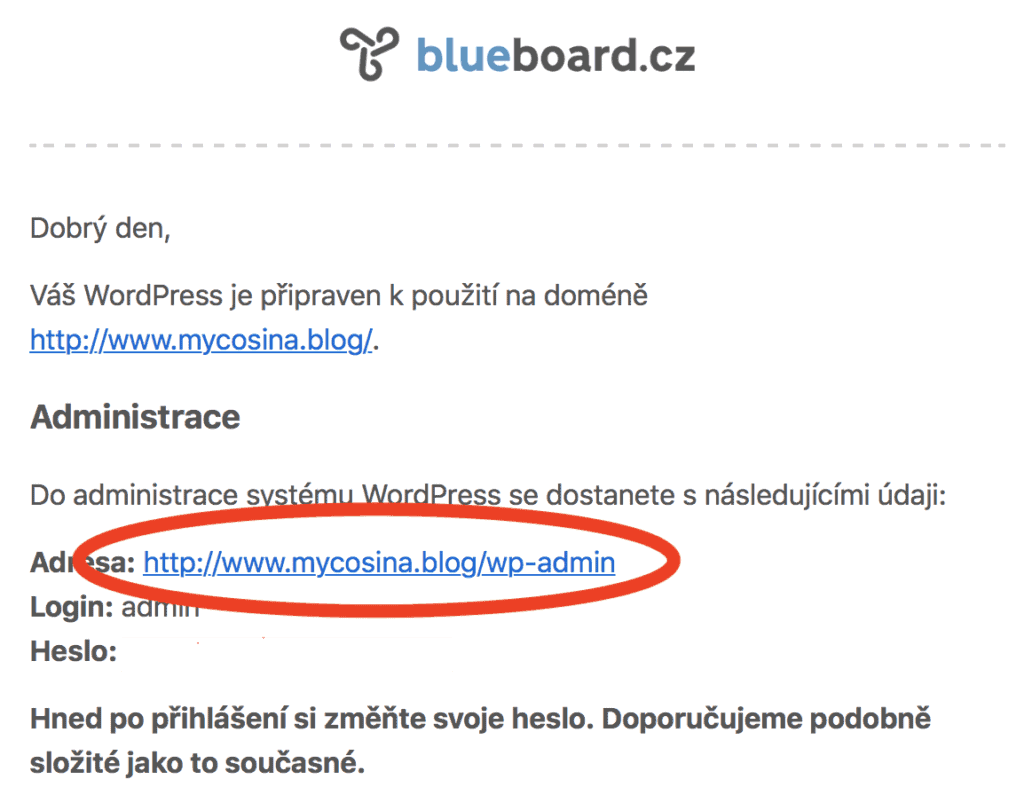
STEP 6:
You’ll see the login screen — one you’ll be seeing every day from now on. Go ahead and bookmark it straight away. Enter the login and password from your email and click Log In.
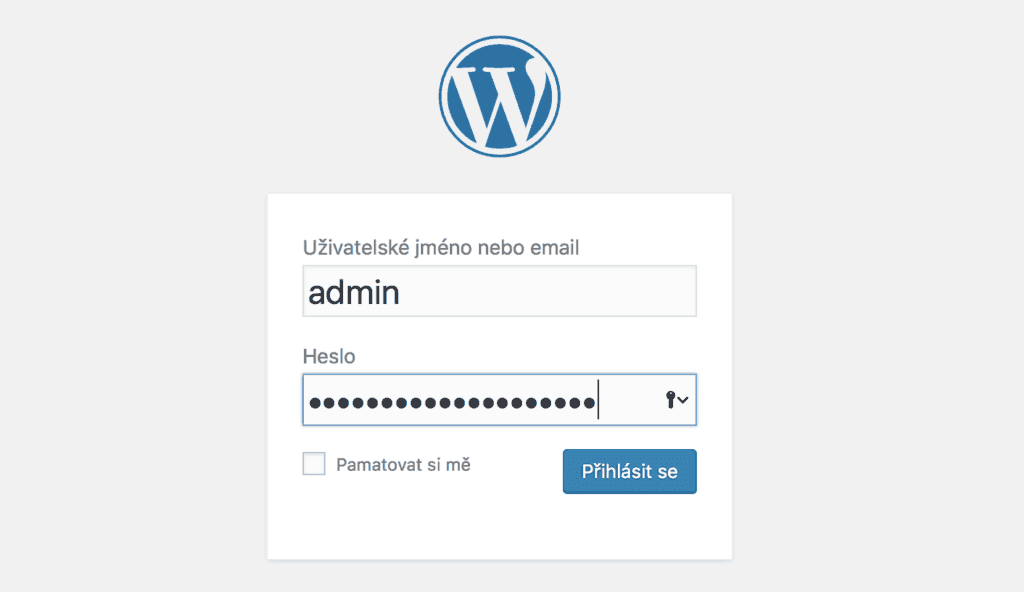
STEP 7:
Welcome to your blog’s dashboard! Before we do anything else, you need to change your password. In the left-hand menu, click on Users and then Profile.
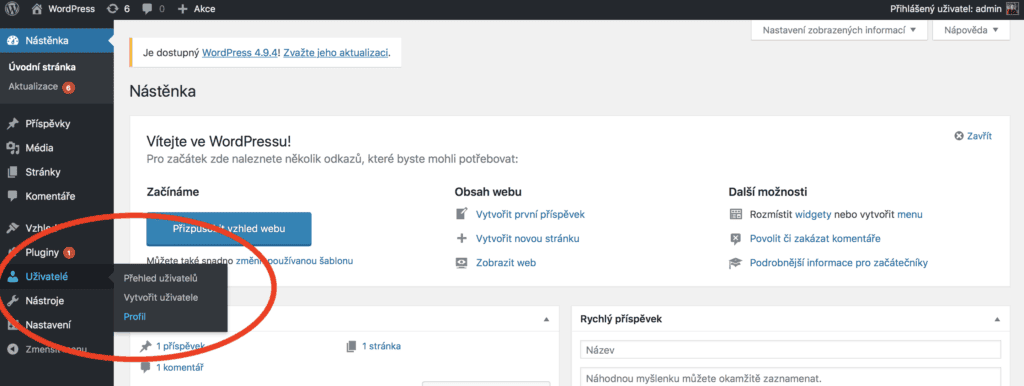
STEP 8:
Scroll down, click Generate Password, type in your new password, and click Update Profile.
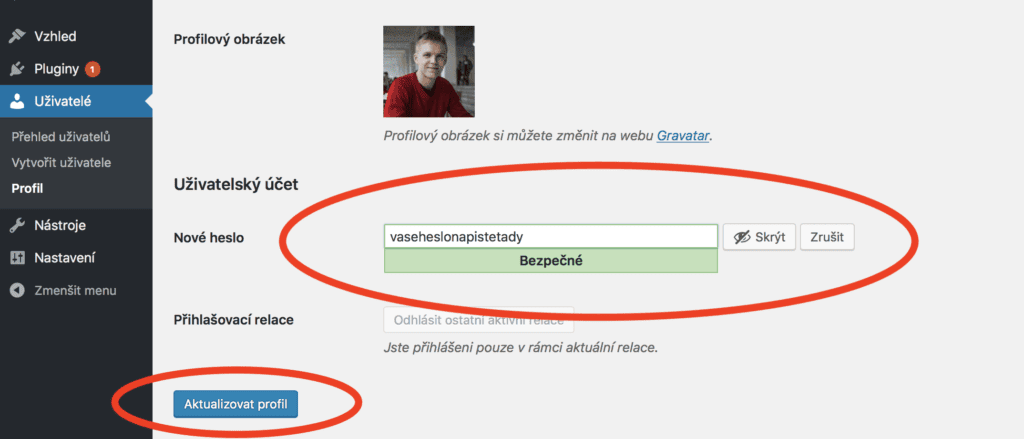
STEP 9:
Ta-da! Congratulations! You’ve successfully set up your very own WordPress blog! You can now see it live at yourdomain.yourextension
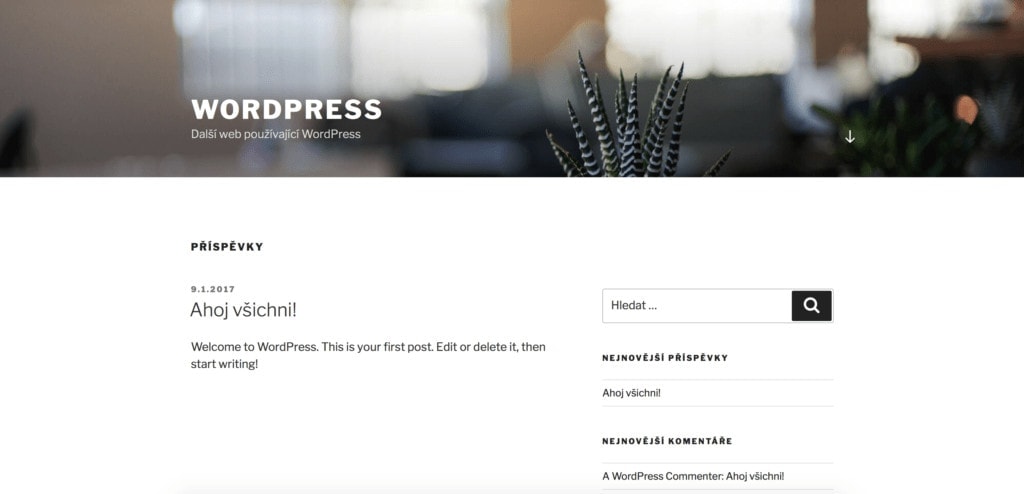
Before you dive into customising your design and installing plugins, don’t forget to:
- Print the email with your login credentials from Blueboard
- Write down your username and password
- Bookmark the link you use to access your admin dashboard (step 5)
Tips and Tricks for Your Vacation
Don’t Overpay for Flights
Search for flights on Kayak. It’s our favorite search engine because it scans the websites of all airlines and always finds the cheapest connection.
Book Your Accommodation Smartly
The best experiences we’ve had when looking for accommodation (from Alaska to Morocco) are with Booking.com, where hotels, apartments, and entire houses are usually the cheapest and most widely available.
Don’t Forget Travel Insurance
Good travel insurance will protect you against illness, accidents, theft, or flight cancellations. We’ve had a few hospital visits abroad, so we know how important it is to have proper insurance arranged.
Where we insure ourselves: SafetyWing (simple monthly subscription) and TrueTraveller (for extra-long trips).
Find the Best Experiences
Get Your Guide is a huge online marketplace where you can book guided walks, trips, skip-the-line tickets, tours, and much more. We always find some extra fun there!


