

I don’t attend training sessions often. Spending eight hours locked in a classroom is something I’d normally consider a waste of time. But that doesn’t apply to specialised data training that solves a concrete problem — and I definitely had one of those.
My Problem: Loads of Business Data, No Idea How to Work With It
At nanoSPACE, our entire company is stitched together from dozens of separate tools — we don’t have a centralised system (like an ERP) running the show. This patchwork approach works well, handling tens of thousands of orders per month at a fraction of the cost of heavyweight solutions, but it comes with its own headaches.
The biggest one is data fragmentation. Orders land in Shoptet, returns go into Retino, email campaigns are sent via Ecomail, accounting documents flow into Flexibee, Amazon is managed through Expando, project management runs through Freelo, B2B orders are split between Shoptet and direct invoicing… I could keep going for a while.
And that’s without mentioning that Shoptet has no suitable module for deeper analysis of order or customer data — we can forget about RFM analysis entirely.
All of this makes evaluating overall company performance incredibly difficult, and it’s led to us having at least a hundred Excel and Google Sheets files where we track various performance metrics separately, then painstakingly try to connect the dots.
After the last COVID wave, when things calmed down a bit, I had more time for analytics and started digging deeper into various reports, including:
- Revenue / profit per marketing channel, adjusted for returns and refunds
- Tracking margin trends over time, down to individual product level
- Automated allocation of discount coupons and performance tracking
- RFM analysis, customer segmentation, cohorts
- Identifying traffic builders, etc.
- Financial analysis, cost breakdown, cash flow monitoring and forecasting (e.g. automatically calculating the value of delivered but not yet paid cash-on-delivery orders)
Every single report meant hours of exporting and merging mismatched data in Excel — and even then, I couldn’t fully trust the results. I knew there was a proper way to build this from the ground up: connect data from all systems, clean out outliers, and report into PowerBI or Looker. But how on earth do you actually do that?
Business Intelligence: Running a Company Based on Data
Right around that time, an invitation landed in my inbox for a data training course called Take Your Data Analysis Beyond Excel. The course promised I’d finally learn how to bring order to my business, marketing, customer, and financial data. So off I went 😎
The training was spot-on for me! I’m not a complete data novice — we already have our own data warehouse, and we’d already built a few custom reports with Digitální architekti. What I was missing was the bigger picture: an overview of what’s actually possible with the data flowing through our systems. And that’s exactly what I got from the course.
The training is led by Přemek Horáček, a seasoned Business Intelligence specialist. He makes a living connecting data sources for companies and uncovering the relationships hidden within them, helping his clients shift from gut-feeling decisions to data-driven management.
Keboola: A Data Extractor for Any System
If I could take away just one thing from the training, it would be this: sign up for Keboola! Keboola is the tool I’d been searching for. It allows you to regularly pull data from virtually any source. Here’s what I connected:
- Google Analytics
- Google Ads
- Facebook Ads
- Sklik
- Shoptet
- Flexibee
- Marketing Miner
- Google Sheets
Keboola connects to each source via API and pulls the data you need.
Once inside Keboola, you can transform the data (using SQL or R — Přemek covers the basics during the training) and then save or export it to a storage solution. I export to Google BigQuery, but Google Sheets works too.
Transformations might include cleaning out extreme values (removing test orders, one-off orders worth €20,000, etc.), joining data from different tables using a shared ID, or any other manipulation your dataset needs.
What can you use it for?
For preparing data for virtually any report you can imagine. Here’s what I’ve done or have planned:
- Cleaning ad platform data by removing cancelled / returned orders
- Building an automated coupon report that calculates actual discounts given and resulting margins
- Calculating margins per order and bucketing them (grouping orders by size / profitability)
- RFM analysis on customer data pulled from Shoptet
- A cash flow dashboard enriched with cash-on-delivery data
The training also covers Google BigQuery, a similar tool for data extraction and transformation. It may be better suited for certain use cases, but it’s not as intuitive for the average user.
How do you transform the data?
Unfortunately, there’s no avoiding a bit of coding. Big data means big tables, so you’ll need at least basic SQL or R skills. Both are covered during the training, and afterwards we received a handy cheat sheet of essential commands. I have no ambition to master these languages in depth, but thanks to the course I now have enough understanding to know what to ask our data analysts for — and what’s realistic.
Keboola is also preparing templates for easy data extraction. This feature is still in beta, but it already offers several basic schemas for merging data from ad platforms and sending it to Google Sheets or PowerBI. For the most common use cases, you won’t need any coding at all in the near future.
How to Visualise Your Data?
Once your data is prepped, you’ll want to visualise it — that’s the whole point, after all. Marketers will likely know Looker (formerly Google Data Studio), which I use extensively for all sorts of marketing reports.
What impressed me more, though, was PowerBI, which I’d successfully ignored until now (mostly because it doesn’t run natively on Mac 😎). After the training, I realised that Looker is essentially a demo version of PowerBI. While both platforms are constantly converging, PowerBI still has the edge.
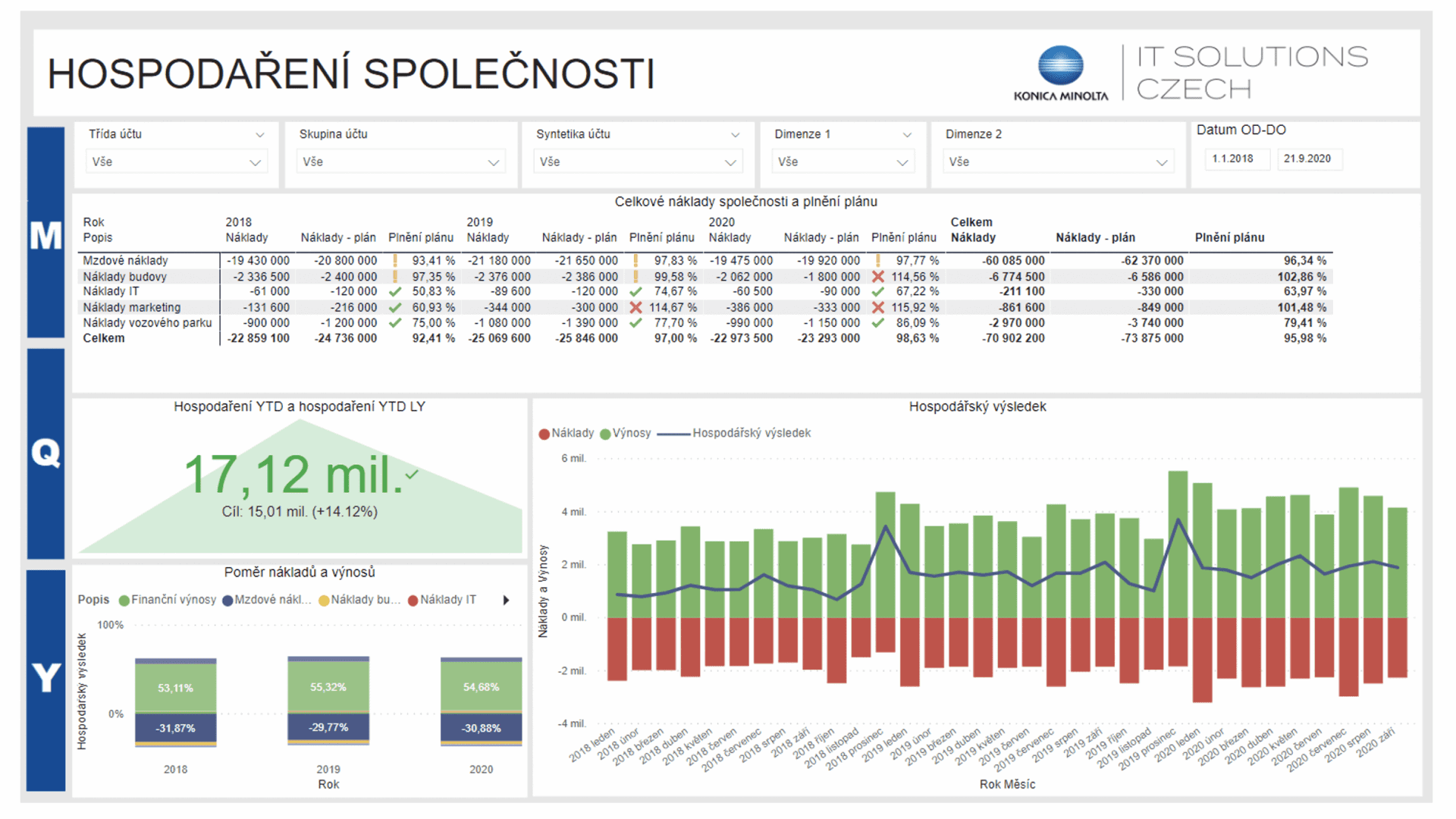
I spent a total of 8 hours at the data training, and I consider it a solid investment. I walked away with a completely new perspective on business data and how to work with it. In my spare time, I’ve been experimenting with building my own reports and gradually preparing a new brief for Digitální architekti, because I can feel it’s time to take our analytics to the next level 😎
Links
Tips and Tricks for Your Vacation
Don’t Overpay for Flights
Search for flights on Kayak. It’s our favorite search engine because it scans the websites of all airlines and always finds the cheapest connection.
Book Your Accommodation Smartly
The best experiences we’ve had when looking for accommodation (from Alaska to Morocco) are with Booking.com, where hotels, apartments, and entire houses are usually the cheapest and most widely available.
Don’t Forget Travel Insurance
Good travel insurance will protect you against illness, accidents, theft, or flight cancellations. We’ve had a few hospital visits abroad, so we know how important it is to have proper insurance arranged.
Where we insure ourselves: SafetyWing (simple monthly subscription) and TrueTraveller (for extra-long trips).
Find the Best Experiences
Get Your Guide is a huge online marketplace where you can book guided walks, trips, skip-the-line tickets, tours, and much more. We always find some extra fun there!


