

Once you’ve got your WordPress installation up and running, you’ll want a gorgeous theme to make your blog shine. But how do you choose the best WordPress theme when there are thousands of free and premium options out there, each one seemingly better than the last? In this article, we’ll walk you through 10 tips that will help you pick the perfect one.
Why Does Choosing the Right WordPress Theme Matter?
Your choice of theme affects absolutely everything — readability, page load speed, and your search engine rankings. Choose carefully, and ideally go with the cleanest, simplest theme you can find.
Even if a theme looks absolutely perfect at first glance, that doesn’t mean it’s ideal for your purposes — and it certainly doesn’t mean it’ll look just as good on your actual WordPress site. The right theme for a blogger:
- Has excellent search engine scores right out of the box
- Is purpose-built for blogging
- Fits your site’s structure
- Is easy to customise
- Supports all the essential plugins
A bad theme:
- Is poorly coded (search engines will penalise it)
- Can’t be easily customised
- Doesn’t work with the plugins you need
1) You Don’t Have to Spend a Penny on a Great Theme
Premium (paid) themes typically come with more features and are “generally considered better” simply because if something costs money, it must be better than something free. But that’s not entirely true.
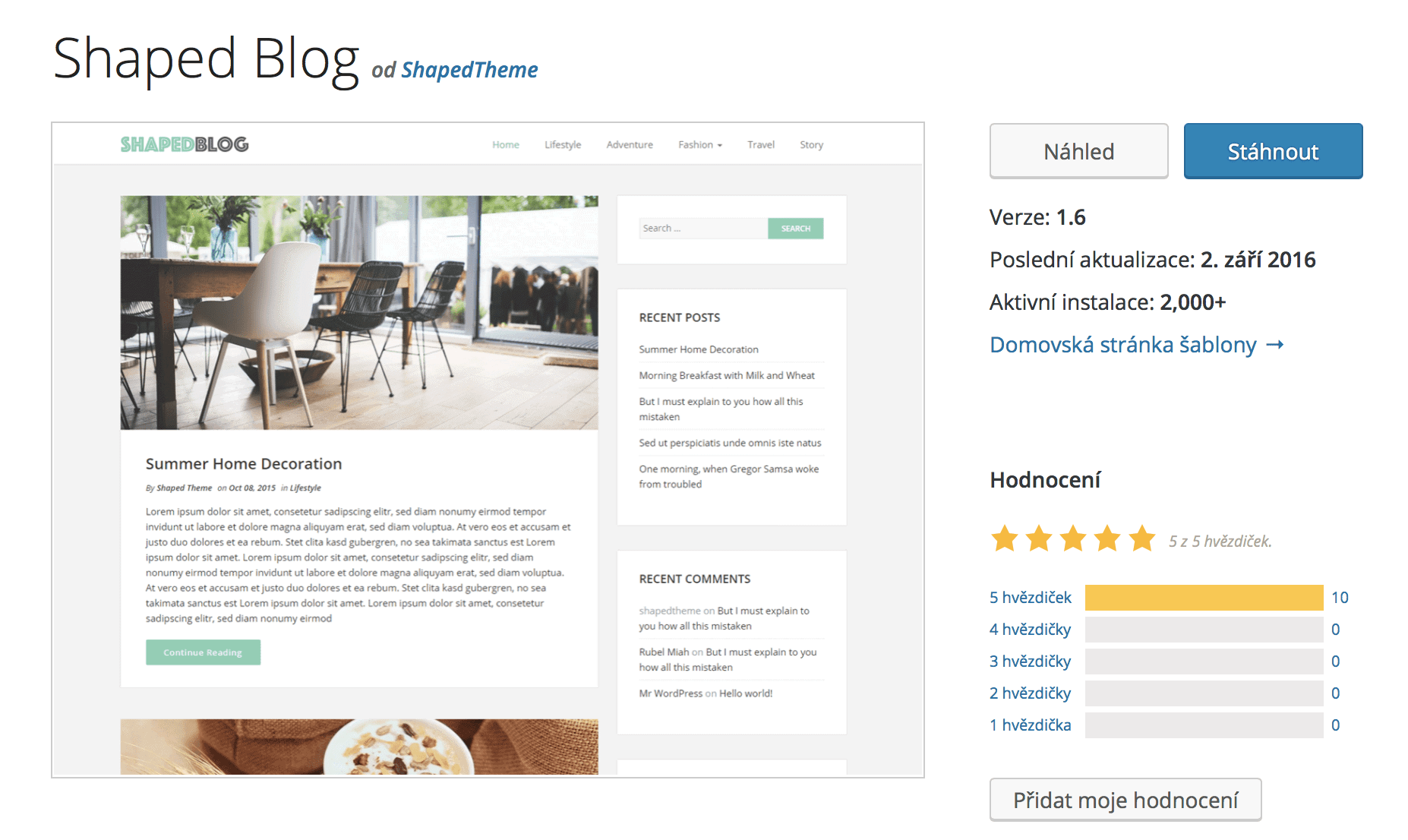
Plenty of excellent themes are completely free, and most offer the option to upgrade to a premium version whenever you like. A great example is the brilliant Shaped Blog theme, which you can download for free.
So what’s the point of premium WordPress themes if so many are free?
The real added value of paying for a theme is customer support and detailed documentation. If you’re just starting out, planning major changes to your theme, and want a helping hand in the beginning, go ahead and spend that $20 — you’ll have someone on hand to help you with installation and customisation.
2) Start by Planning Your Blog Structure — It’ll Save You Work Later
Although most themes can be used for just about anything (from an online recipe book to a corporate website), they’re usually designed with one specific purpose in mind. Out of the box, they’ll differ in things like the number of menu items, homepage layout, or how posts are displayed.
Before you start hunting for a theme, map out your blog structure
Your blog name, topics, and main categories will help you determine how robust and feature-rich a theme you actually need. We’ve prepared a PDF blog structure template — print it out, fill it in, and it’ll guide you through the planning process. All you need is 30 minutes and a good cup of coffee.
Download the blog structure PDFDon’t hold back — jot down even the categories you won’t be writing about straight away but know you’ll want to cover eventually. This way, you’ll avoid headaches like needing someone to edit source code because you’ve run out of room in your menu.

3) Must-Have Features for Your WordPress Blog
Most of you won’t need much beyond adding posts, organising them into categories, and collecting email addresses. Everything else can be handled with plugins — but you need to make sure your chosen theme actually supports them.
What is a plugin?
A plugin is a piece of software that extends your WordPress site with new functionality, and it’s dead simple to install. Plugins can help you optimise your site for search engines, collect emails, create online courses, and much more.
What additional features will help your blog succeed?
- Sidebars — side columns where you can place ads or promote a free download
- Google Analytics integration — so you can track who’s visiting your site and where they’re coming from
- SEO plugin support (e.g. Yoast SEO or RankMath)
- Caching system (W3 Total Cache and Autoptimize plugins)
- Visual editor support (Elementor plugin)
How do you check whether a theme supports the plugins you need?
Beyond reading reviews and the information on the theme’s page, you can simply test it for real. Install all the plugins you need alongside the theme. If the site doesn’t throw any errors, you’re golden.
4) Simplicity Is the Key to a Successful Blog
Many themes boast complex layouts, gorgeous animations, and loads of colour options. But you really don’t need any of that — in fact, more often than not, those flashy extras do more harm than good.
The more complex a theme and the more bells and whistles you pile on, the worse your blog’s score from search engines will be. And a lower search engine score means less reach for your posts and fewer readers overall.
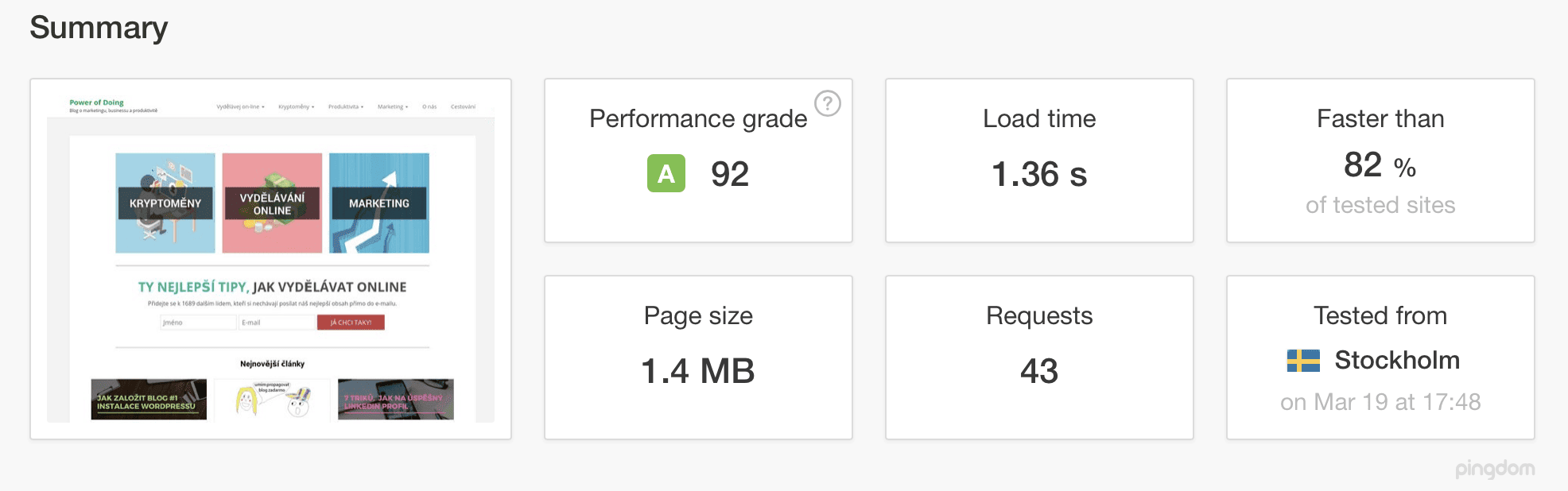
You can always test the demo version of a theme on PINGDOM to see how it performs. While you shouldn’t take the results as black and white, they’ll give you a solid overview of how the theme performs before you’ve added any content.
What counts as good PINGDOM results for a freshly installed theme?
- Performance grade: A, B, or C
- Load time: under 1.5 seconds
- Page size: under 1 MB
- Requests: under 40
5) Responsive Design Is a Must These Days
Responsive means the theme automatically adapts to different screen sizes and devices, giving every visitor a great experience.
For example, our blog gets 50% of its traffic from mobile devices. If we didn’t have a responsive design, we’d lose all those readers because the site would simply be unreadable on their phones.
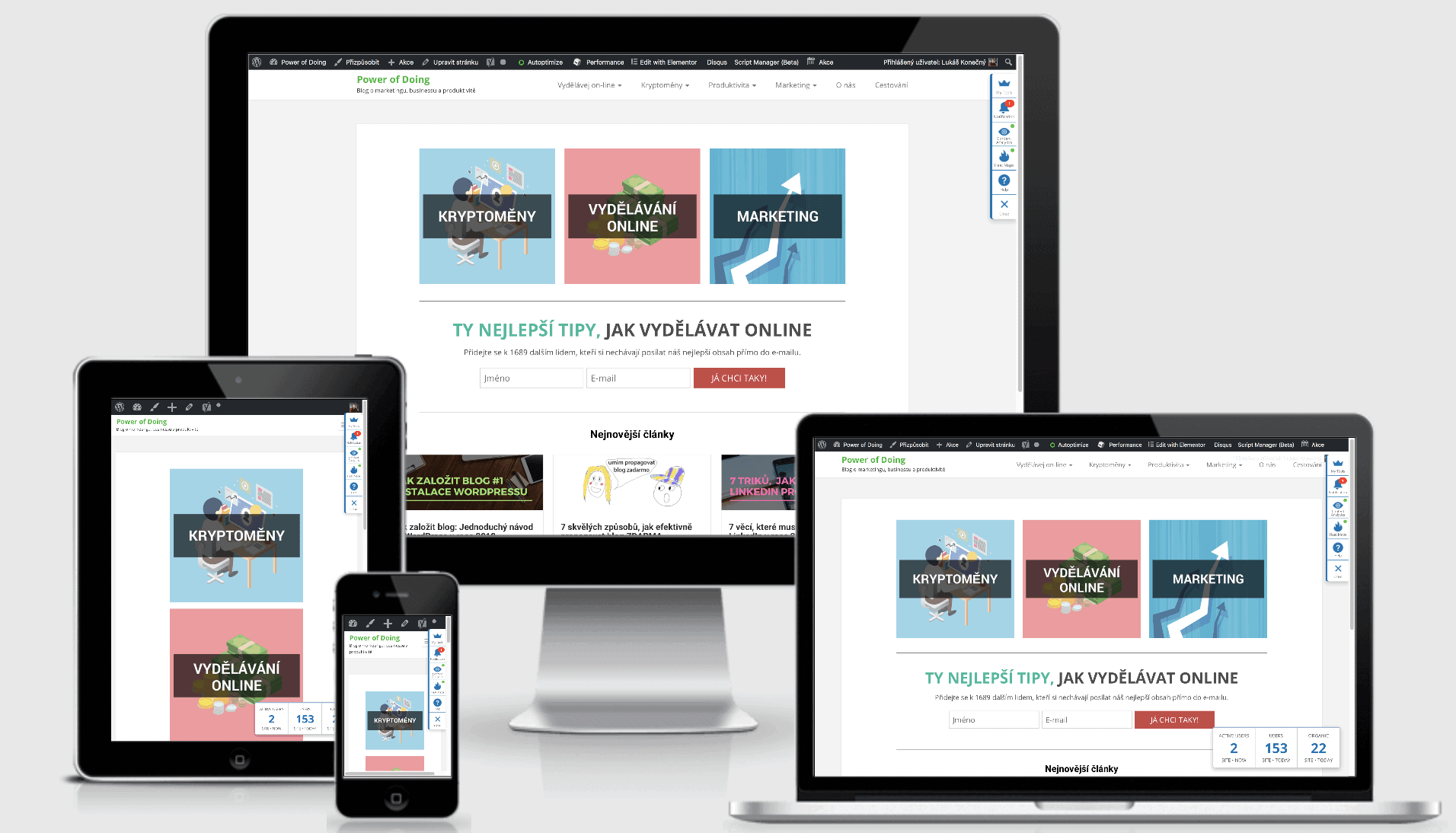
Google ranks responsive websites significantly higher, making it an absolute necessity. Most themes today are responsive by default, but always double-check that yours is too. How to test whether a theme is responsive:
- Google Mobile-Friendly Test shows you how Google rates the mobile version of your site
- AmIResponsiveDesign generates a preview like the image above
6) Browser Compatibility
Every reader uses a different browser, and each browser can render your theme differently — so pay attention to this. Always test your theme in the most popular browsers: Google Chrome, Firefox, Edge, Safari, and others. The same goes for mobile browsers.

Luckily, there are free tools that can test your blog in seconds
- Browserling — test across 6 browsers plus Android
- Browsershots — test across multiple browsers in over 150 versions
7) SEO Optimisation of Your WordPress Theme
Source code can be written well (cleanly) or badly. If a theme was coded by an amateur, it’ll become one of the biggest obstacles you’ll face in the long run.
SEO (Search Engine Optimisation) makes it easier for search engines to crawl your pages and understand their content. The better your SEO, the higher the chance your content will appear near the top of search results.
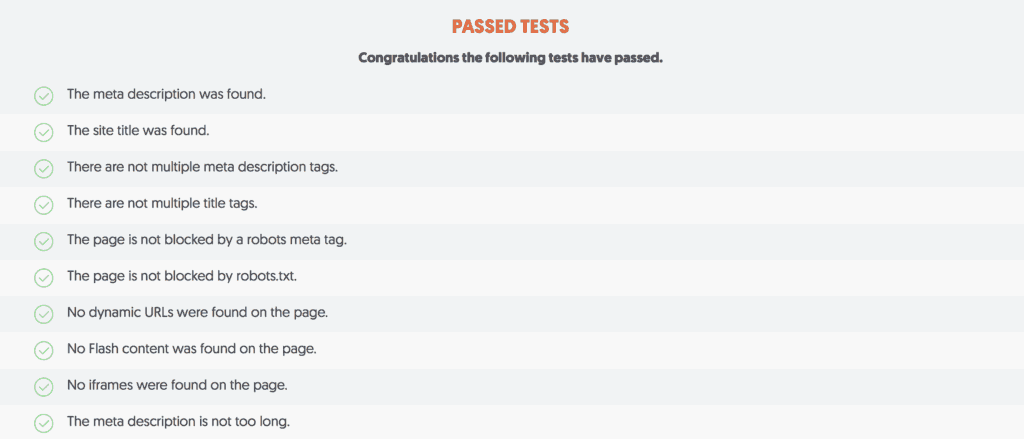
There’s no single easy way to test a theme’s SEO. I usually check user ratings, the developer’s description, and run tests using various tools (like Neil Patel’s SEO Analyzer).
You can also use the W3C Markup Validation tool, which checks whether a theme generates HTML5 code in the expected format. Don’t panic if it shows a bunch of errors.
W3C flags issues that may have zero impact on how the theme actually performs. The goal is to check whether the theme contains any truly serious errors.
8) Ratings and Reviews
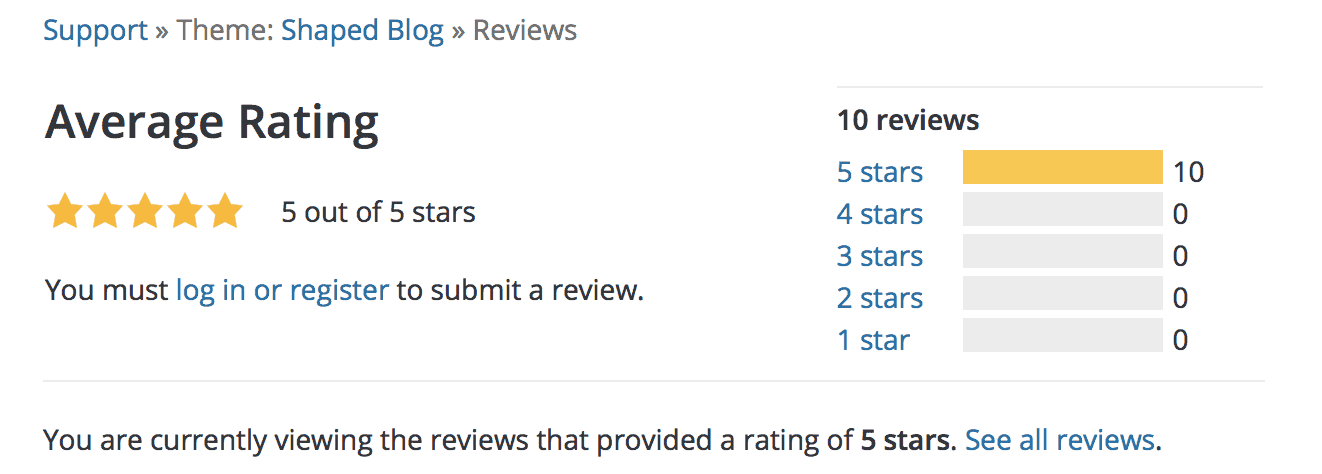
Rule number one: if a theme has no ratings or reviews, don’t use it. You don’t want to be the person writing the first negative review.
Most good themes have at least dozens of positive reviews, with 4- and 5-star ratings far outweighing the lower ones.
If you do spot a few 1- and 2-star reviews for a theme you like, take the time to read them. It’s common for users to rate a theme after just five minutes of use, or simply because they didn’t understand how it works.
9) The Theme Won’t Look as Pretty After Installation as It Does in the Demo
Once you install a theme, you’ll probably notice it doesn’t look anything like what you expected. But that’s completely normal.
Every theme demo has all features enabled and is loaded with professional graphics to show the theme at its absolute best. If you don’t have your own content in WordPress yet, it’ll look bare and you might feel like things are missing.
Trust the process — as you start adding your own content, the theme will begin to look better and better.
10) Where to Find the Best Free and Premium WordPress Themes
Premium WordPress themes
ThemeForest — hands down the best marketplace for premium themes. We’ve always found exactly what we needed there.
Best free WordPress themes
- 43 Best Free WordPress Blog Themes
- WPBeginner — theme roundups organised by category
- WordPress.org — browse the massive official theme directory right from WordPress
Tips and Tricks for Your Vacation
Don’t Overpay for Flights
Search for flights on Kayak. It’s our favorite search engine because it scans the websites of all airlines and always finds the cheapest connection.
Book Your Accommodation Smartly
The best experiences we’ve had when looking for accommodation (from Alaska to Morocco) are with Booking.com, where hotels, apartments, and entire houses are usually the cheapest and most widely available.
Don’t Forget Travel Insurance
Good travel insurance will protect you against illness, accidents, theft, or flight cancellations. We’ve had a few hospital visits abroad, so we know how important it is to have proper insurance arranged.
Where we insure ourselves: SafetyWing (simple monthly subscription) and TrueTraveller (for extra-long trips).
Find the Best Experiences
Get Your Guide is a huge online marketplace where you can book guided walks, trips, skip-the-line tickets, tours, and much more. We always find some extra fun there!


