

We tested 200+ WordPress plugins and put together a bulletproof combo of the best WordPress plugins that will boost your blog’s traffic, search visibility, loading speed and security. They’re sorted by category, with instructions on how to set each one up.
Here’s what these plugins will sort out for you:
- Page loading speed
- Search engine optimisation
- WordPress security
- Easier design editing
Speed Up Your Blog by 60% and Rank First in Google Search
Optimising your blog for search engines isn’t complicated, and with a few plugins absolutely anyone can pull it off. You know how some links show up in a Google search with images, in the left-hand panel, or even with a star rating? You can set all of that up too. The following WordPress SEO plugins will handle:
- A caching system – creates static pages and speeds up loading
- HTML minification – shrinks your code and speeds up loading
- Optimising content for sharing on social media
- Filtering spam out of your comments
Not sure you follow all of it? Don’t worry, you don’t have to. The main thing is that it works, and you can test the results (the improvement) yourself over at tools.pingdom.com
1) Autoptimize
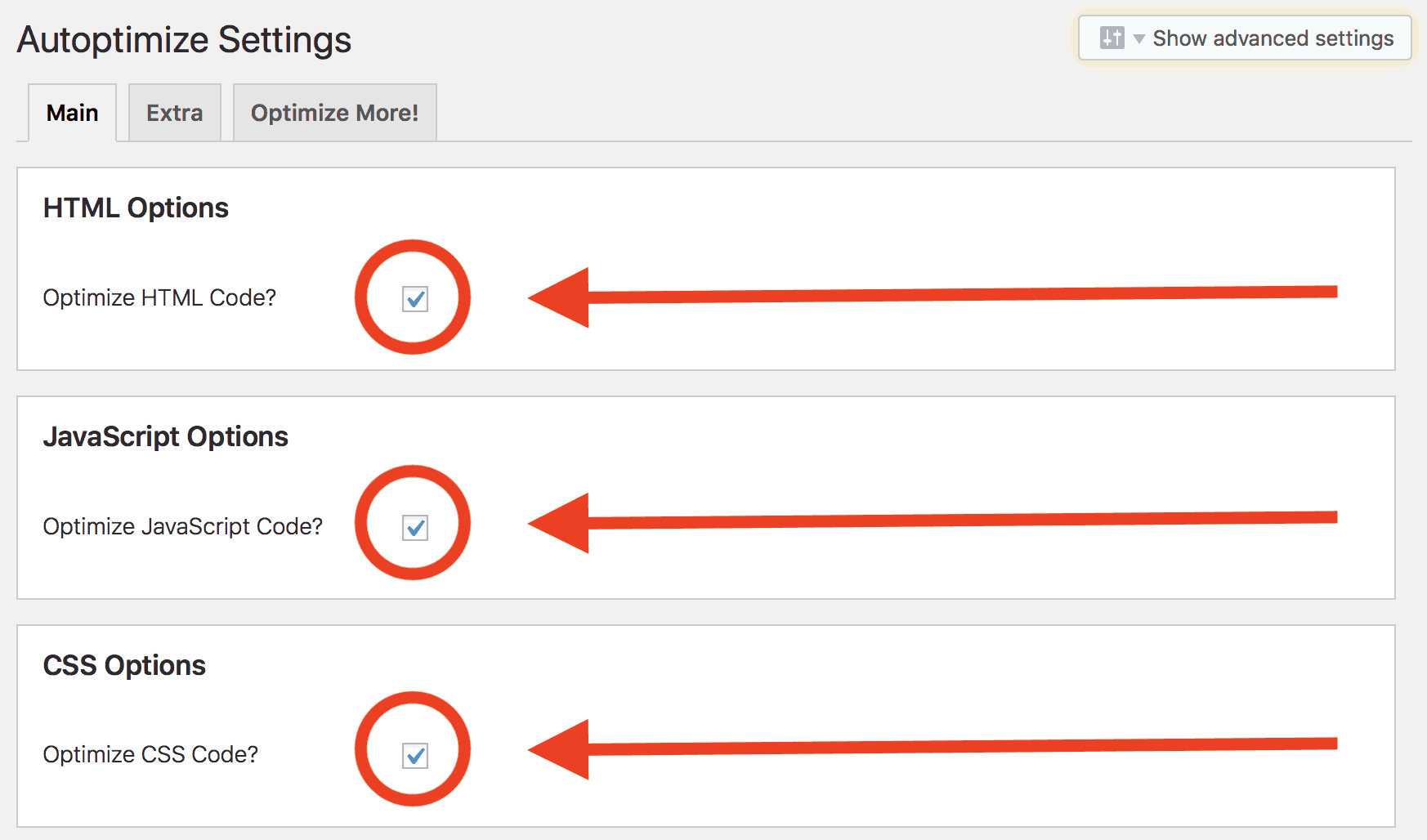
Even though you won’t notice anything on the surface, this plugin does a huge amount of work for you. It optimises your HTML, JavaScript and CSS code. In other words, it trims it down to fewer lines, which ultimately makes your blog load faster. You can find the Autoptimize plugin HERE.
2) W3 Total Cache
Thanks to W3 Total Cache, your pages can load up to 80% faster. We recommend you test your speed before installing the plugin so you can see just how big an improvement you’re looking at.
This is a plugin that creates static pages and saves them as simple HTML. In plain English, that means WordPress won’t have to rebuild every page from scratch each time someone opens your blog. Instead it has them ready and serves them straight to the reader without needing to connect to the database. In the W3 Total Cache settings:
- TURN ON Page Cache
- TURN ON Object Cache
- TURN ON Browser Cache
- TURN OFF Minify (Autoptimize handles that better)
You can find the W3 Total Cache plugin HERE.

3) Yoast SEO
A monster of an SEO plugin, and quite possibly the best-rated one in the world. With Yoast SEO you can control how each article appears on social media (Facebook, Twitter, LinkedIn), and you can even set a different description and a different preview image for each platform.
It generates an XML sitemap for you, which you’ll need for Google, and it analyses the content of your articles. It suggests how to break up your paragraphs, tracks keyword density and checks how readable the article is. You can find the Yoast SEO plugin HERE.
4) Akismet – Filter Out 99.9% of Comment Spam
Sooner or later, bots will discover your blog and start spamming your comments with adverts for dodgy pills and similar nonsense. Akismet is the most effective tool for blocking spam.
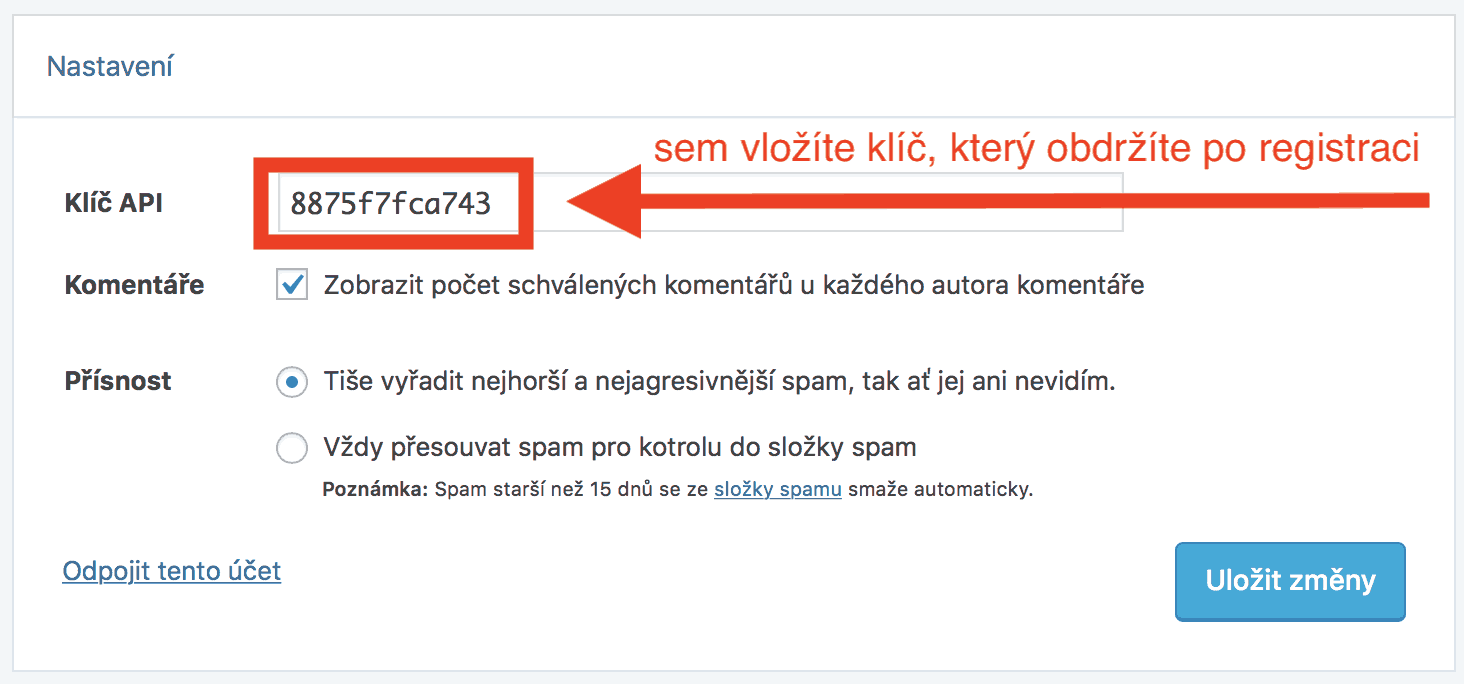
After installing it, you’ll need to register with Akismet to get an API key, which you then paste into the plugin. After that, it runs automatically.
You can find the Akismet plugin HERE.
5) ShortPixel – Automatic 90% Average Image Compression
Shrinking images so they load as quickly as possible is every blogger’s nightmare. By the time you’ve figured out how many pixels to use, how much to limit the colours and what the optimal size actually is, you’ll probably have gone grey. But that won’t happen with the ShortPixel plugin!
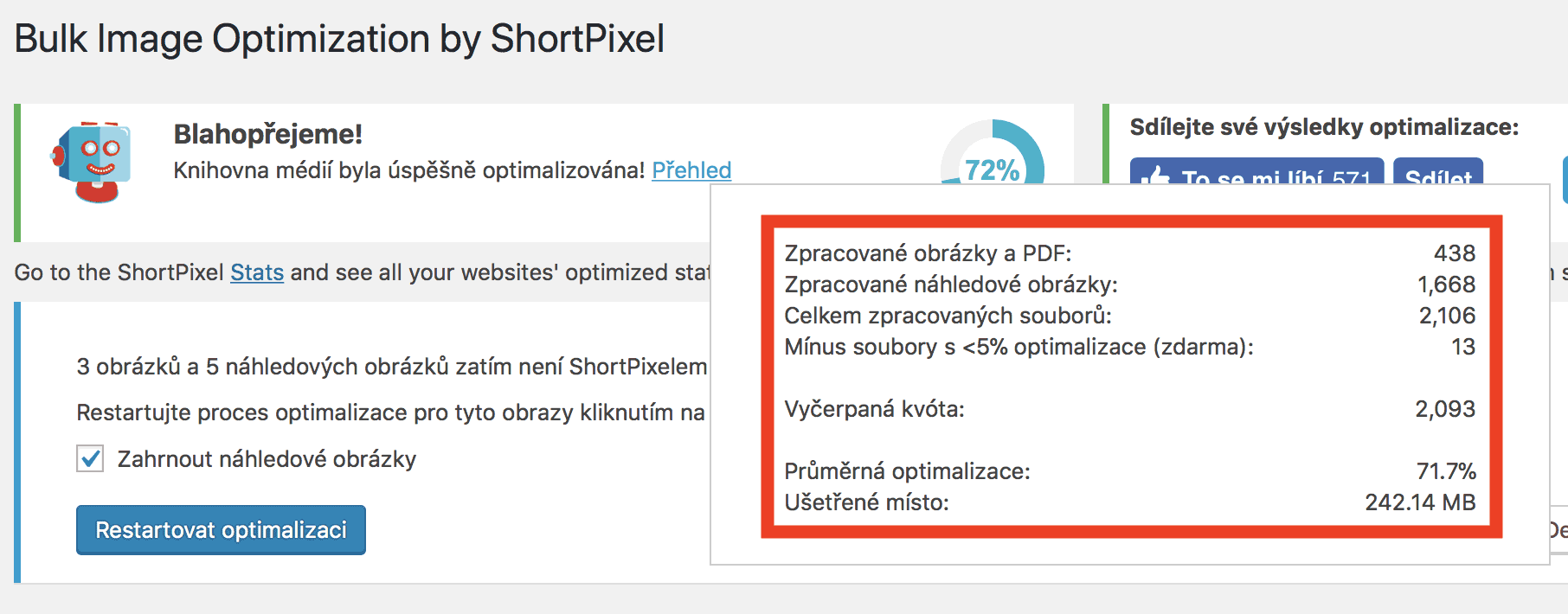
It compresses 100 images a month for free, right inside WordPress. AUTOMATICALLY! You don’t have to think about compression at all. You upload an image, drop it into the article and save. Within a few seconds, ShortPixel compresses the image for you.
Register through THIS LINK and you’ll get +100 free credits every month.
6) All In One Schema.org Rich Snippets
Even though Google has been using snippets for an absolute age, very few bloggers actually use them effectively. Snippets are special attributes for your articles that help Google display extra information.
For your blog posts, for example, you can tell Google to show the author, a preview image (who has that on Google these days?!) and the publisher of the article. This is still a feature that will set you genuinely apart from the competition. It has just one downside – it’ll display an extra table at the end of your article.
You can find the All in One Schema.org Rich Snippets plugin HERE.
Building an Email List, Monetising Your Blog & Analytics
7) Google Analytics
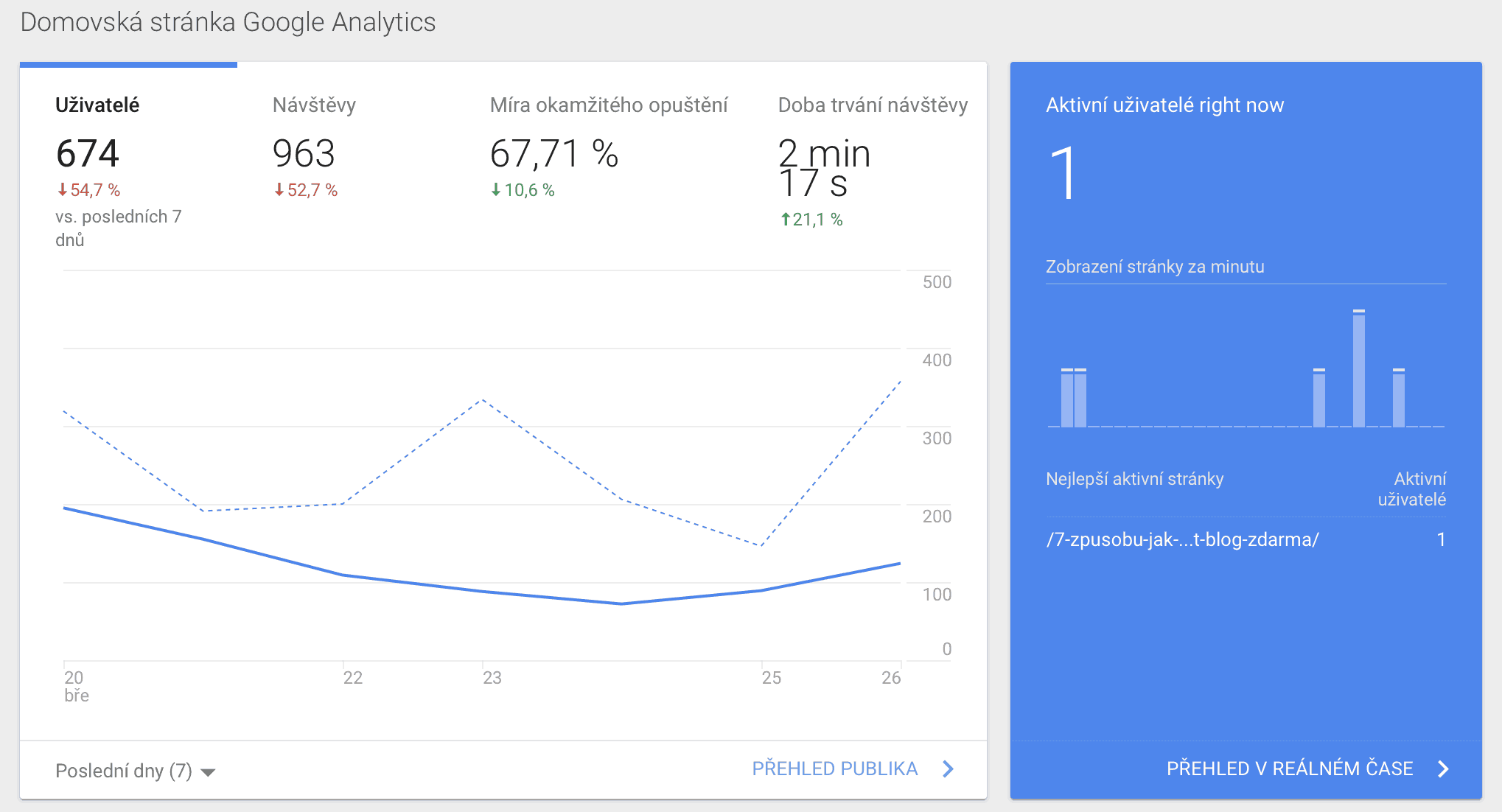
An essential plugin for comprehensive analytics on your site. Track your traffic and how readers move around your site. See where they come from, what device they browse your blog on, how long they spend with you and a whole lot more.
You connect the plugin to the Google Analytics service, and all the data about how readers behave on your blog is laid out for you in clear, easy-to-read tables.
You can find the Google Analytics plugin HERE.
8) MailerLite
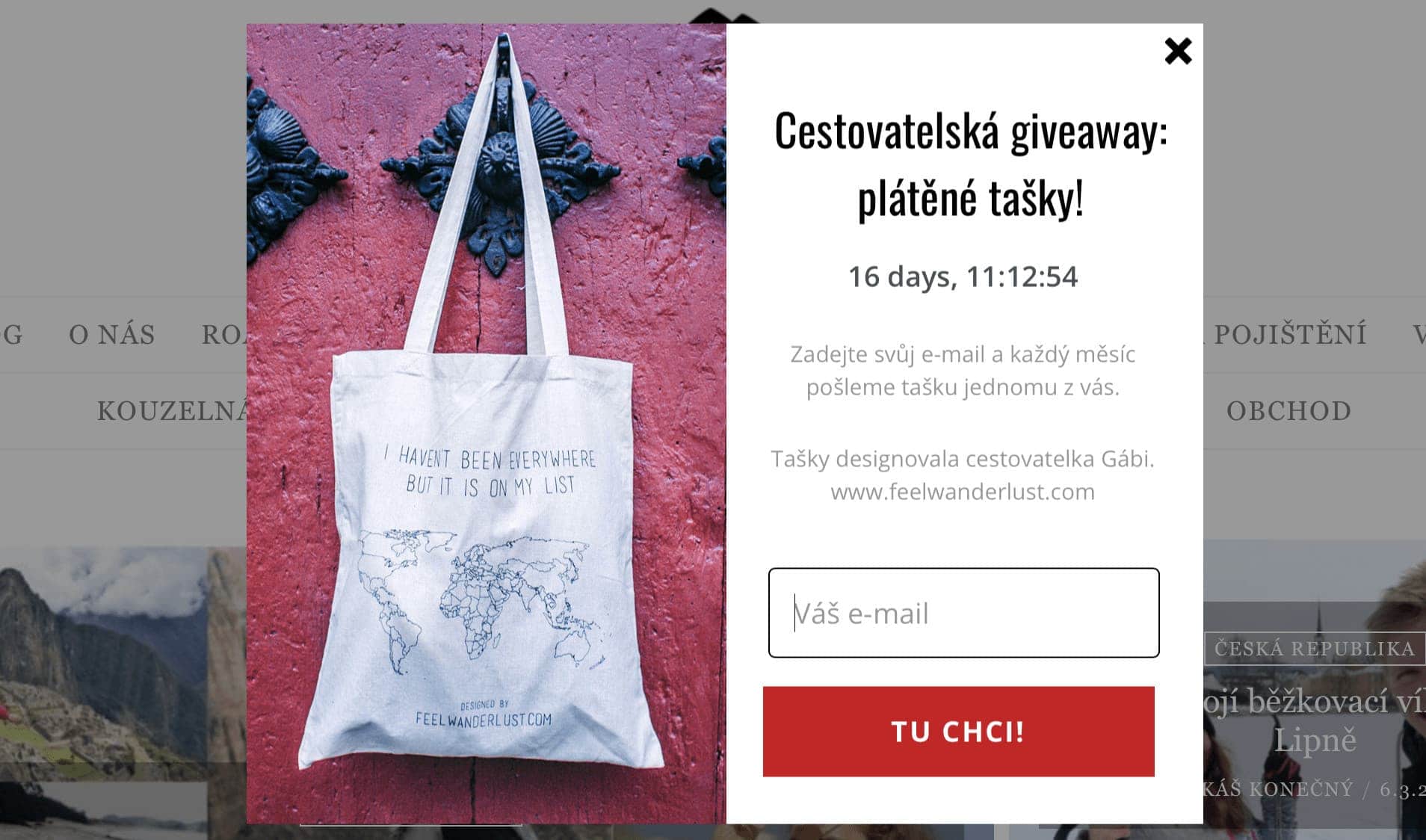
MailerLite is the ideal plugin for collecting emails and sending automated campaigns. It lets you use pop-ups and opt-in boxes embedded within your articles.
Check out MailerLite.
9) ThirstyAffiliates
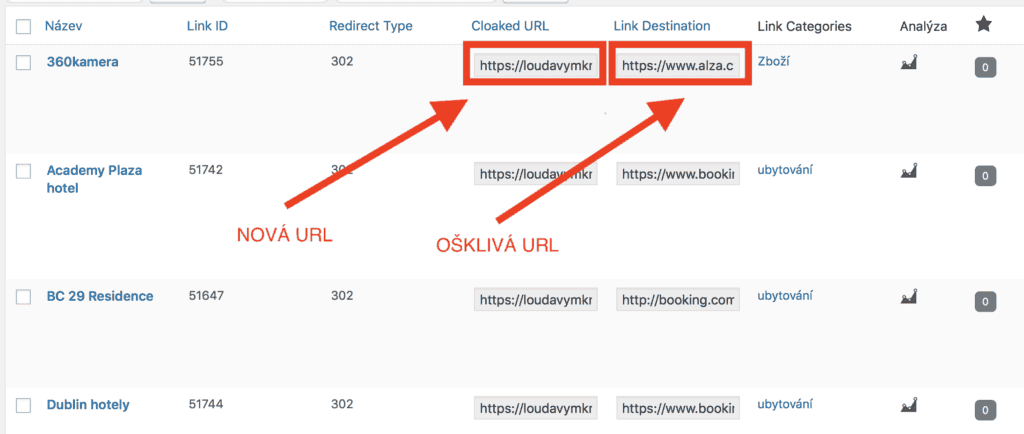
If you’re going to use affiliate links (and you definitely will!), you’ll want to tidy them up. Nobody likes seeing that they have to click through an ugly, long URL.
You can find the ThirstyAffiliates plugin HERE.
10) Download Monitor
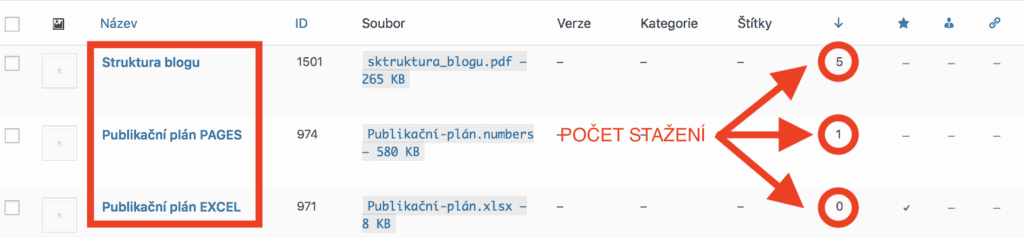
We often add download links for various bonus materials, and we discovered it’s handy to track how many times someone has downloaded them. That’s how we worked out which kind of content people prefer. For example, hardly anyone wants Excel spreadsheets! Download Monitor helps you track download counts and keeps all of your downloads neatly in one place.
You can find the Download Monitor plugin HERE.
11) Q2W3 Fixed Widget
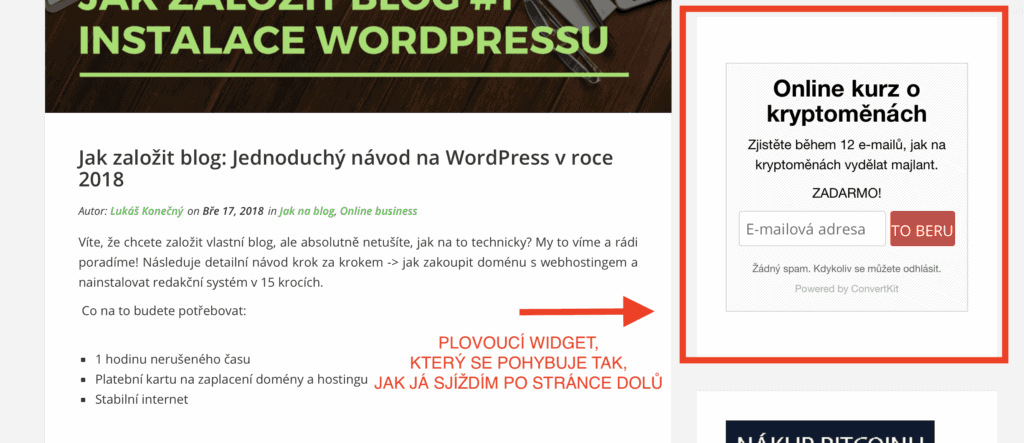
Sticky widgets (the content in the column next to your article that moves with you as you scroll down) are an effective tool for collecting new emails from your readers. Q2W3 does exactly that. Nothing more, nothing less.
You can find the Q2W3 Fixed Widget plugin HERE.
Style Your Blog Like a Real Pro
12) Elementor
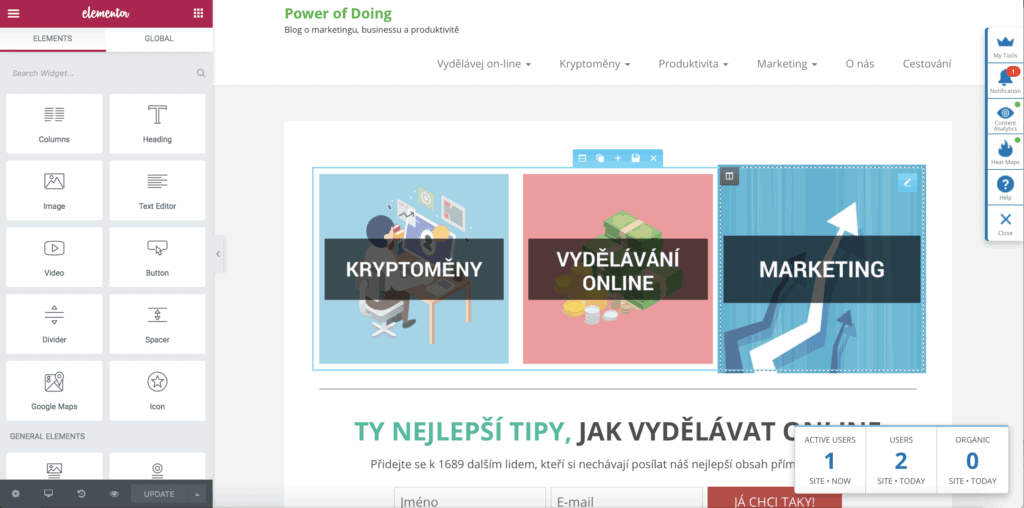
The ideal helper for building landing pages and any part of your blog that needs to look a bit more polished. It works on a drag-and-drop basis, so you essentially just move content around until you’re happy with how it looks.
You can find the Elementor plugin HERE.
13) TinyMCE Advanced
Whether you use Elementor or not, you’ll still write your articles in the standard WordPress editor. And that editor is missing so many features! Luckily, all you have to do is install TinyMCE Advanced, which expands your options for editing articles.
You can find the TinyMCE Advanced plugin HERE.
Turn Your WordPress Into an Impregnable Fortress
14) Automatic Plugin Updates
The foundation of WordPress security is keeping everything fully up to date at all times. The most common way a hacker gets into your admin area is precisely through outdated plugins and themes. Automatic Plugin Updates will keep all your plugins updated for you on a regular basis, so that’s one less thing to worry about.
You can find the Automatic Plugin Updates plugin HERE.
15) Wordfence Security
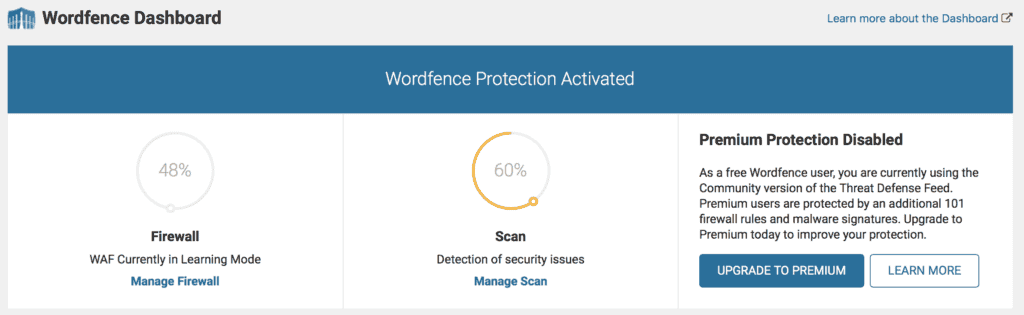
Just as every computer needs an antivirus, every WordPress site needs its own protection. Wordfence has proven to be the best one for us. It can block brute-force attacks (when someone tries to crack your password), block IP addresses and monitor file changes.
You can find the Wordfence Security plugin HERE.
16) Really Simple SSL
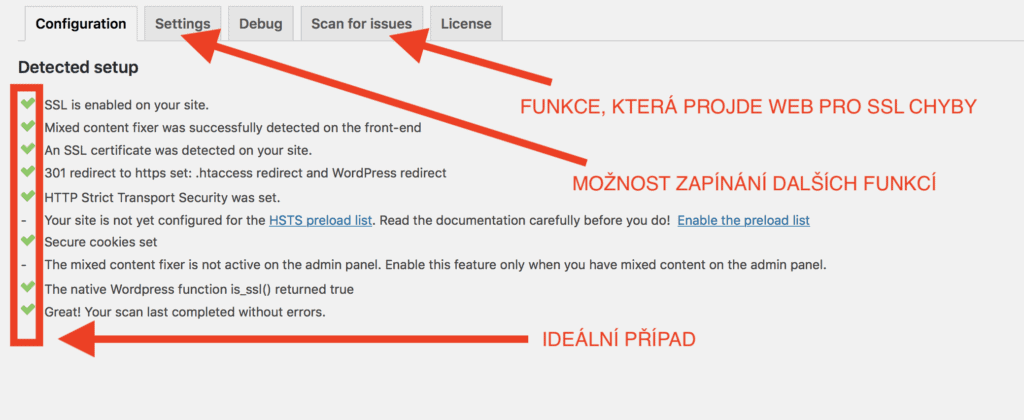
An SSL certificate is an absolute must. Without one, you’ll rank poorly in Google searches, your blog will be more vulnerable to attacks, and Chrome will show a warning that your site isn’t secure. Really Simple SSL sorts this out for you with ease. All you have to do is install the plugin, activate it, and ask your provider to enable a Let’s Encrypt SSL certificate on your domain, which is free.
You can find the Really Simple SSL plugin HERE.
17) BackWPup
BackWPup is just about the only plugin that, in its basic version, can automatically back up WordPress straight to your hosting. You usually only realise how useful a backup is once you actually need it. We recommend not underestimating backups and installing this plugin. When a problem comes along and you need to quickly restore your site to how it was a few days ago, you’ll be glad you did.
You can find the BackWPup plugin HERE.
18) EU Cookie Law
By law, in the EU you must state that you collect cookies from users. And while the UK has now left the EU, the same rules essentially still apply under UK GDPR, so you’ll need a cookie notice either way. This plugin is all you need.
You can find the EU Cookie Law plugin HERE.
Tips and Tricks for Your Vacation
Don’t Overpay for Flights
Search for flights on Kayak. It’s our favorite search engine because it scans the websites of all airlines and always finds the cheapest connection.
Book Your Accommodation Smartly
The best experiences we’ve had when looking for accommodation (from Alaska to Morocco) are with Booking.com, where hotels, apartments, and entire houses are usually the cheapest and most widely available.
Don’t Forget Travel Insurance
Good travel insurance will protect you against illness, accidents, theft, or flight cancellations. We’ve had a few hospital visits abroad, so we know how important it is to have proper insurance arranged.
Where we insure ourselves: SafetyWing (simple monthly subscription) and TrueTraveller (for extra-long trips).
Find the Best Experiences
Get Your Guide is a huge online marketplace where you can book guided walks, trips, skip-the-line tickets, tours, and much more. We always find some extra fun there!


